
Transforming Fortinet FortiGate Logs into Actionable Insights Using Falcon LogScale
Fortinet FortiGate firewalls sit in front of a lot of critical networks, but the raw logs they generate are not exactly analyst friendly. Falcon LogScale gives you the scale and speed to keep that data, and DataElicit's FortiGate package adds structured parsers and dashboards so your team can actually see authentication patterns, threats and UTM activity without digging through flat text.
Fortinet FortiGate firewalls are a core part of many enterprise networks, combining threat protection with rich network management features. The downside is the volume and complexity of the logs they produce. Pulling out the insights that actually matter for security, performance and compliance is hard if everything stays in device specific formats. Falcon LogScale is built for parsing, visualizing and analyzing high volume log streams, and with the FortiGate package from DataElicit you get a clean way to bring those logs into Falcon LogScale and turn them into real signals.
Parsing Fortinet FortiGate logs
At the center of the package is a fortinet firewall parser designed to handle the different log types FortiGate devices emit. It turns raw messages into structured events and normalizes them into CrowdStrike Parsing Standard so you can query using familiar CPS fields instead of memorizing Fortinet specific ones.
- Efficiently parses traffic, event and UTM logs generated by FortiGate devices so core firewall activity is consistently modeled.
- Normalizes key fields such as source, destination, user, action and policy into CPS so searches and dashboards can be reused across other Falcon LogScale data sources.
- Makes it easier to combine FortiGate telemetry with endpoints, identities and SaaS security feeds that also follow CrowdStrike Parsing Standard.
Pre built dashboards for quick insights
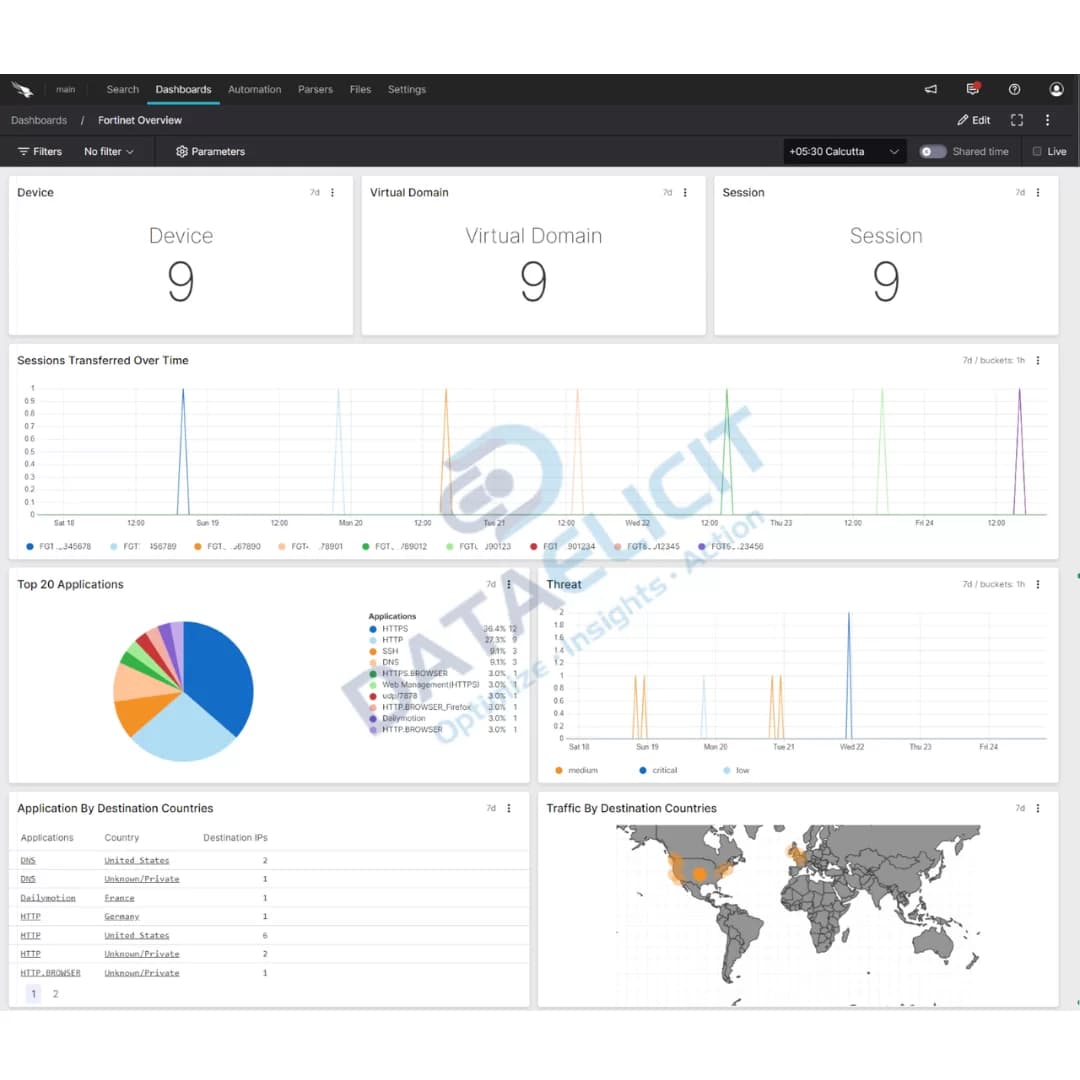
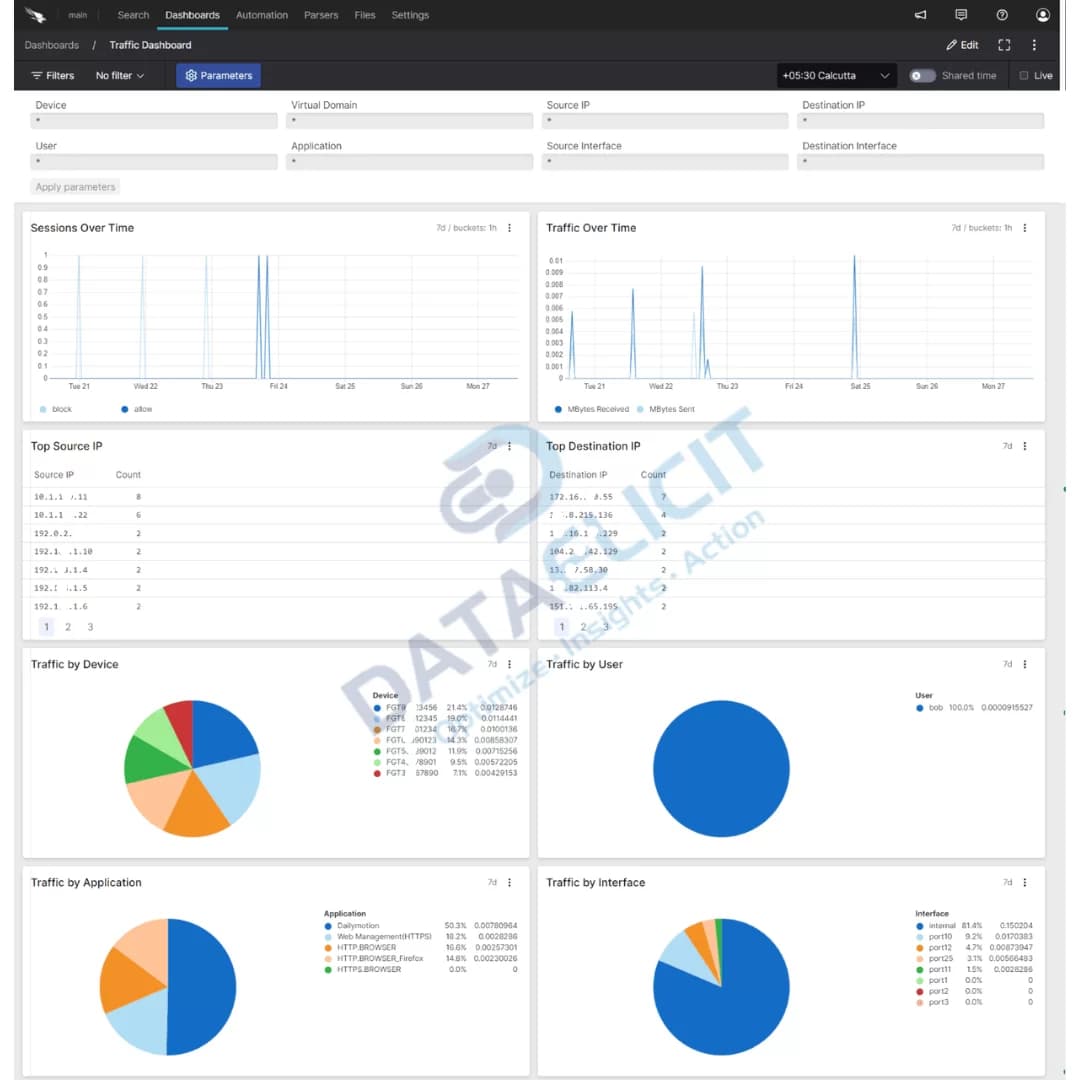
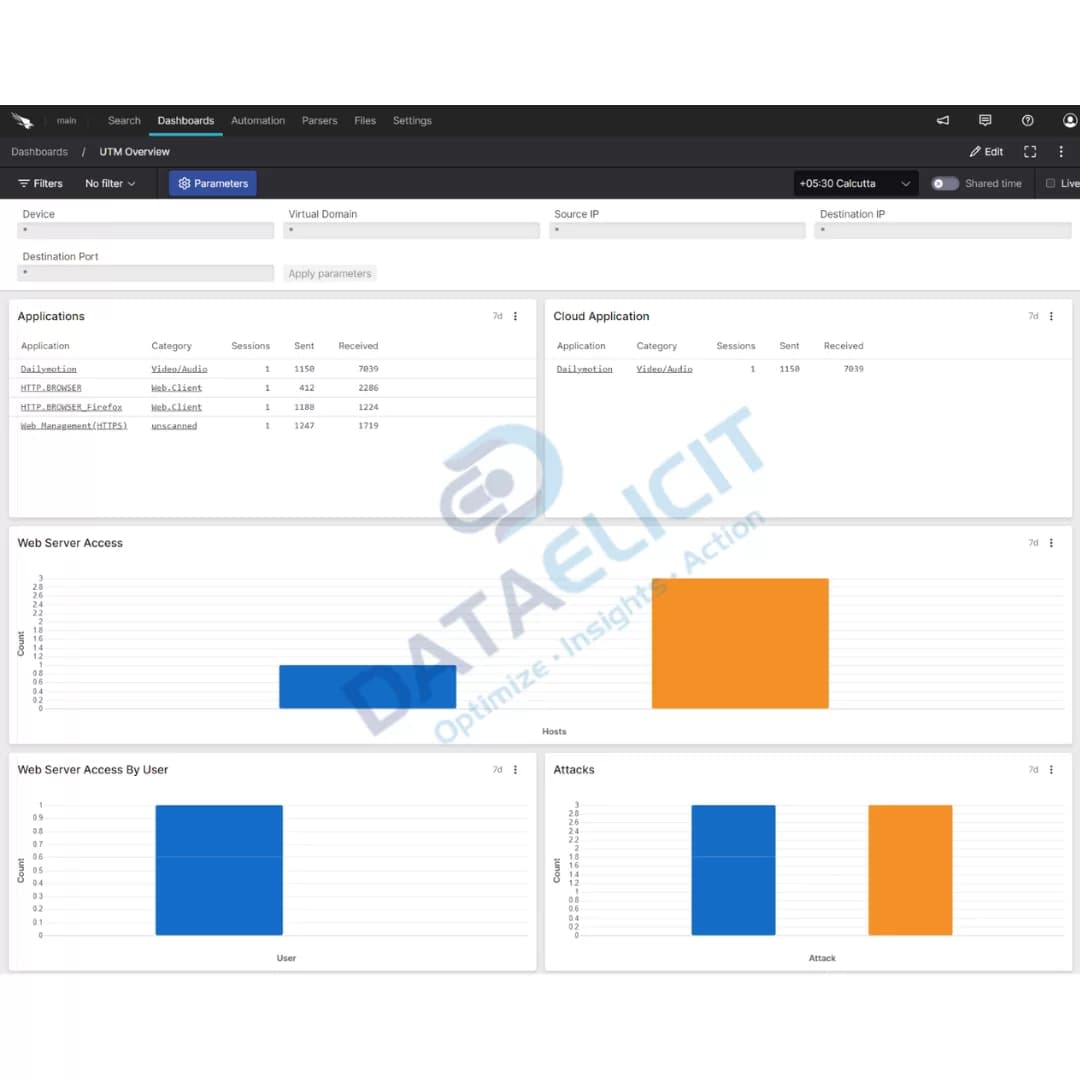
To help you make sense of FortiGate logs faster, the package ships with pre built dashboards that give a real time view of security and performance. They surface the typical questions teams ask about who is authenticating, where threats are coming from and how the platform is behaving under load.
Dashboards in the FortiGate package:
- ✓Authentication and events
- ✓Threat and traffic views
- ✓UTM event summaries
- ✓VPN events and health
- ✓Wireless events and usage
With FortiGate logs successfully ingested into Falcon LogScale, your SOC can work from these dashboards to spot anomalies, proactively manage issues and keep an eye on overall firewall health rather than living inside raw log viewers.
Conclusion
Falcon LogScale combined with DataElicit's Fortinet FortiGate package gives you a practical way to visualize and analyze FortiGate logs. By leveraging structured parsers and focused dashboards you can strengthen network security, improve performance and keep compliance reporting under control instead of wrestling with unstructured firewall data.
Ready to dive deeper?
This blog is a high level overview. In real projects we deliver tailored Falcon LogScale packages that fit your network, your FortiGate footprint and your existing SOC tools. That covers everything from ingestion design to dashboard tweaks and alerting strategies.
LogConnector acts as the bridge between your Fortinet devices and Falcon LogScale, hiding the messy parts of ingestion so your team can stay focused on investigations and operations instead of plumbing.
Talk to the team
Need help onboarding Fortinet FortiGate logs?
We help organizations bring FortiGate telemetry into Falcon LogScale using LogConnector and the Fortinet package so they get reliable ingestion, clean schemas and dashboards that match how their SOC actually works.
Get in touch with us today
to learn more about:
- ›LogConnector features and benefits
- ›Fortinet FortiGate package for Falcon LogScale
- ›How LogConnector and Falcon LogScale can enhance your IT and security operations
Related Articles
See how other platforms integrate with Falcon LogScale using LogConnector and DataElicit packages.
Enhance SaaS Security Visibility with the AppOmni Package for CrowdStrike’s Falcon LogScale
Ingest AppOmni findings into Falcon LogScale so SaaS misconfigurations and access risks show up next to the rest of your security telemetry.
Read More
Enhance Threat Detection with Vectra XDR and CrowdStrike’s Falcon LogScale
Combine Vectra XDR detections with Falcon LogScale search and dashboards to tighten detection across identities, endpoints and networks.
Read More
Gain Deep Visibility into Microsoft Active Directory with CrowdStrike Falcon LogScale
Stream Active Directory logs into Falcon LogScale to monitor authentication, changes and DC health in one place.
Read More