Gain Deep Visibility into Microsoft Active Directory with CrowdStrike Falcon LogScale
Active Directory is still the place where most identity and access decisions start, but raw security logs are noisy and hard to work with in an incident. The Microsoft Active Directory package for Falcon LogScale uses LogConnector to pull on prem AD events into a structured schema so you can see authentication trends, risky group changes and privilege use from a single set of dashboards.
For many organizations Active Directory is the backbone of identity and access. Every sign in, password reset, group change and policy update leaves an event in the security log. The problem is volume and complexity. Event IDs are cryptic, fields are inconsistent and pulling a clear story out of weeks of logs during an investigation is slow. The Microsoft Active Directory package for Falcon LogScale aims to fix that by turning raw Windows Event Logs into structured records that are easy to search and visualize.
Overview of the parser
At the center of the integration is the microsoft-windows parser. It focuses on normalizing the key security events that matter for AD monitoring. Event IDs are mapped to clear fields such as action, result, subject account and target object so you can pivot by user, host, group or operation without memorizing log formats.
- Translates core Windows security events into consistent records that capture who did what, from where and whether it succeeded or failed.
- Normalizes domain, host and account fields so you can join and compare AD activity with identity providers, endpoint telemetry and cloud logs.
- Preserves relevant event details such as group names, object paths and privilege flags that are crucial for incident review and audit checks.
Prebuilt dashboards for AD activity
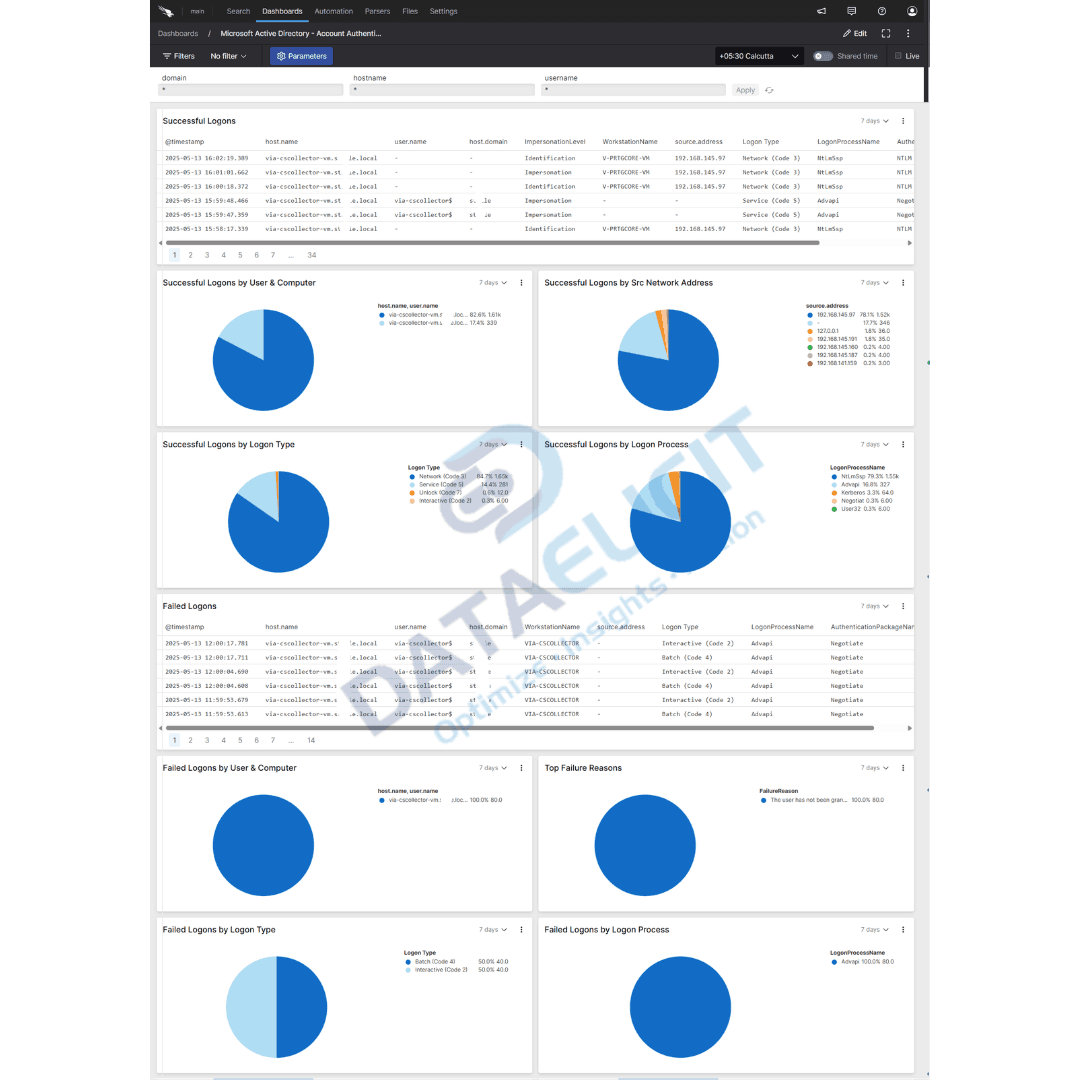
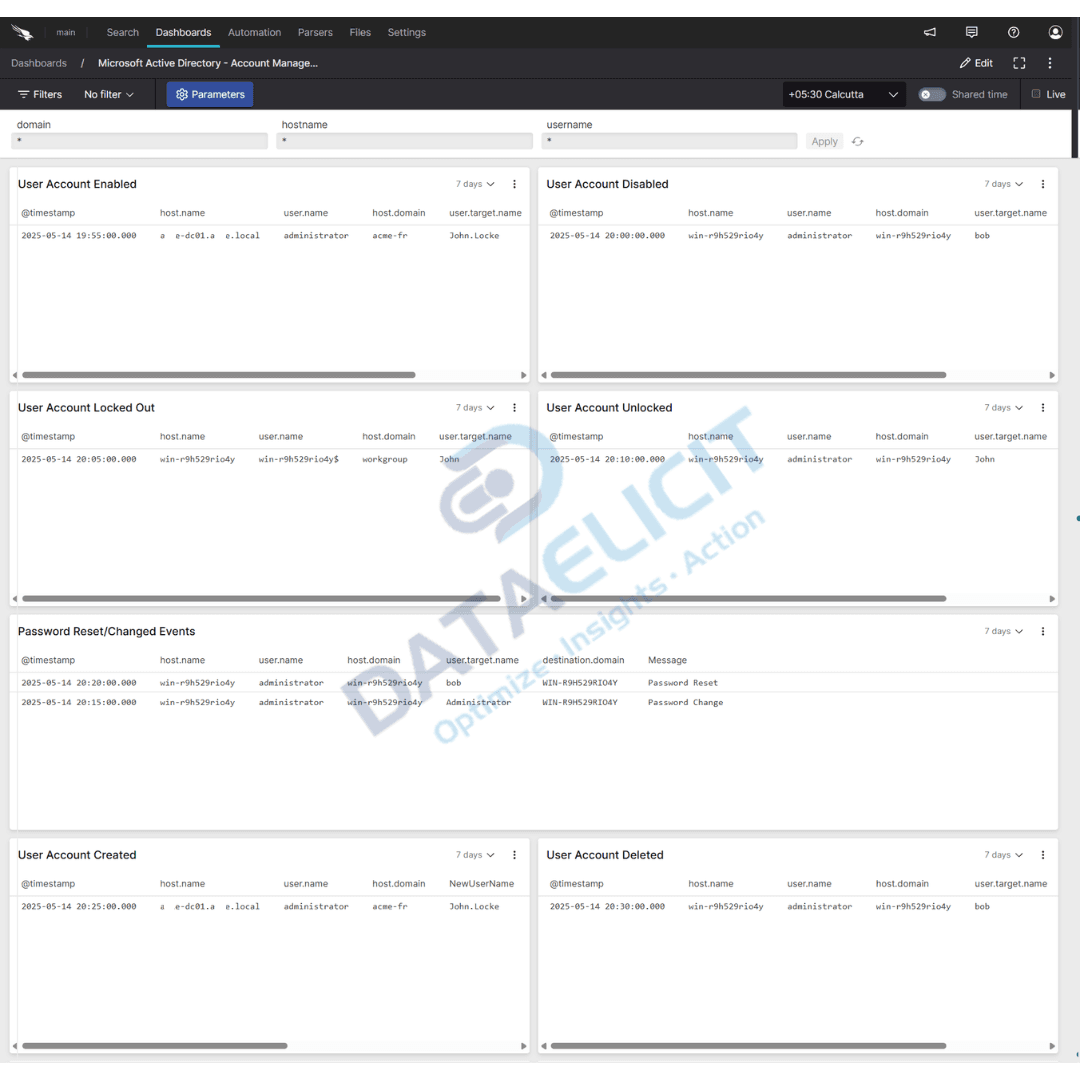
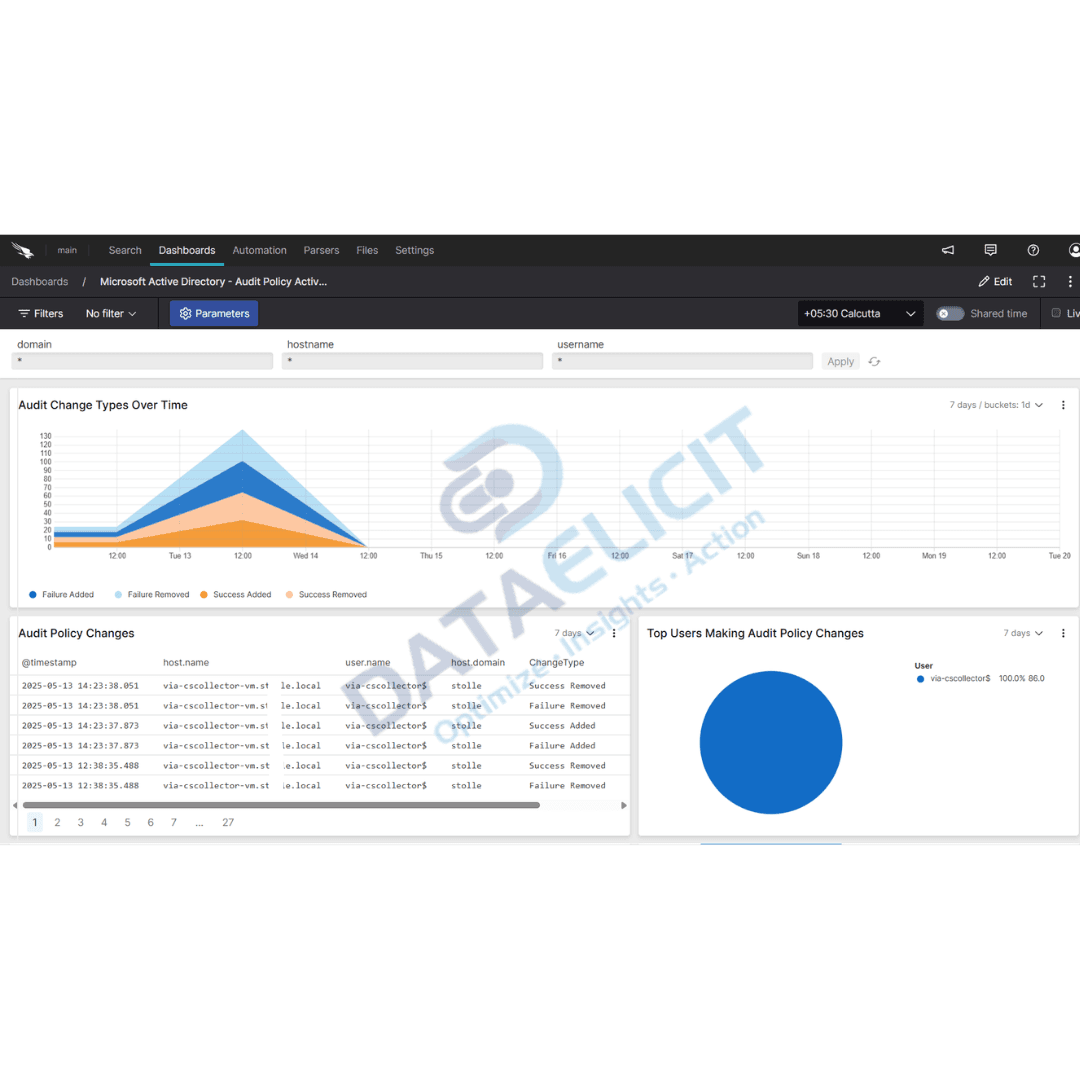
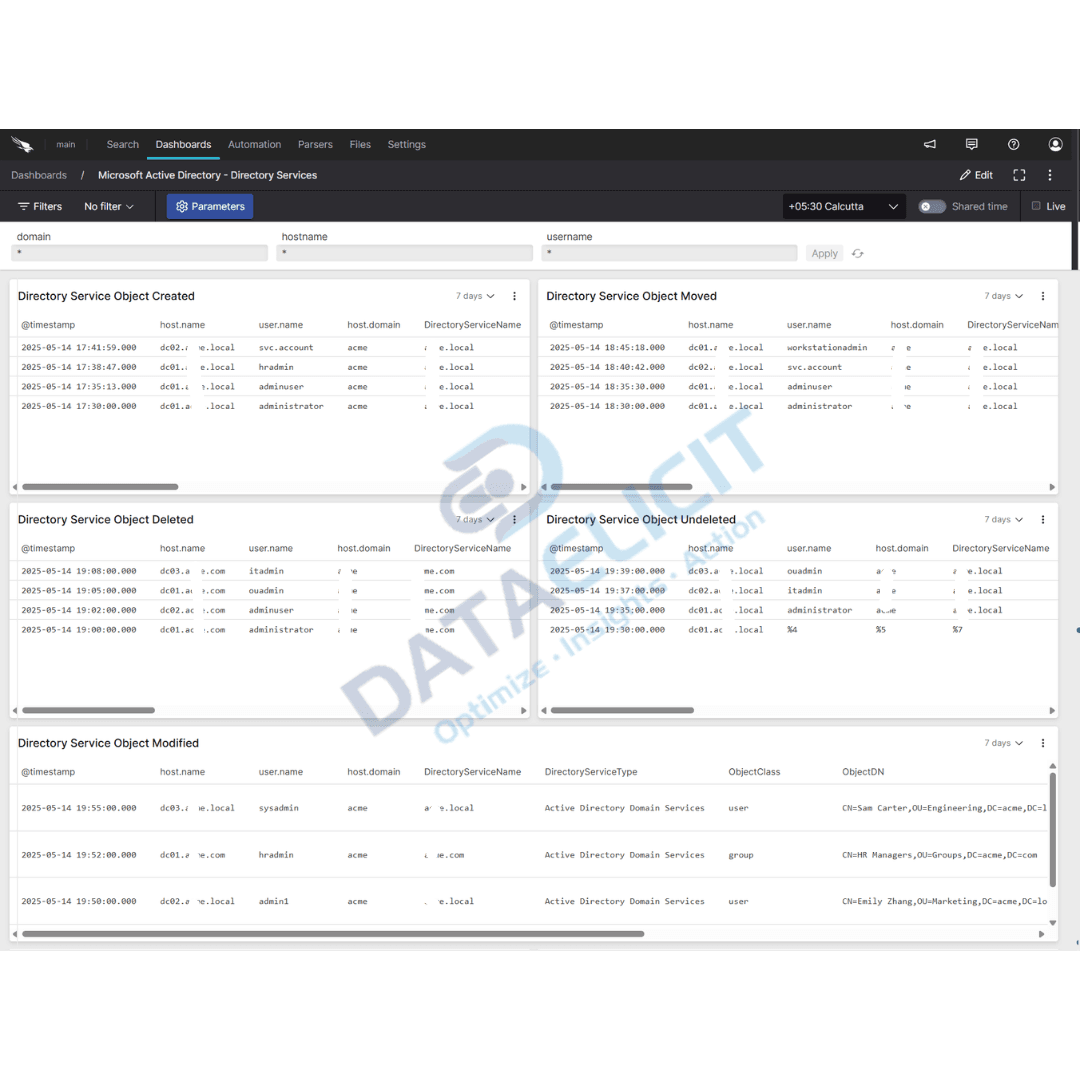
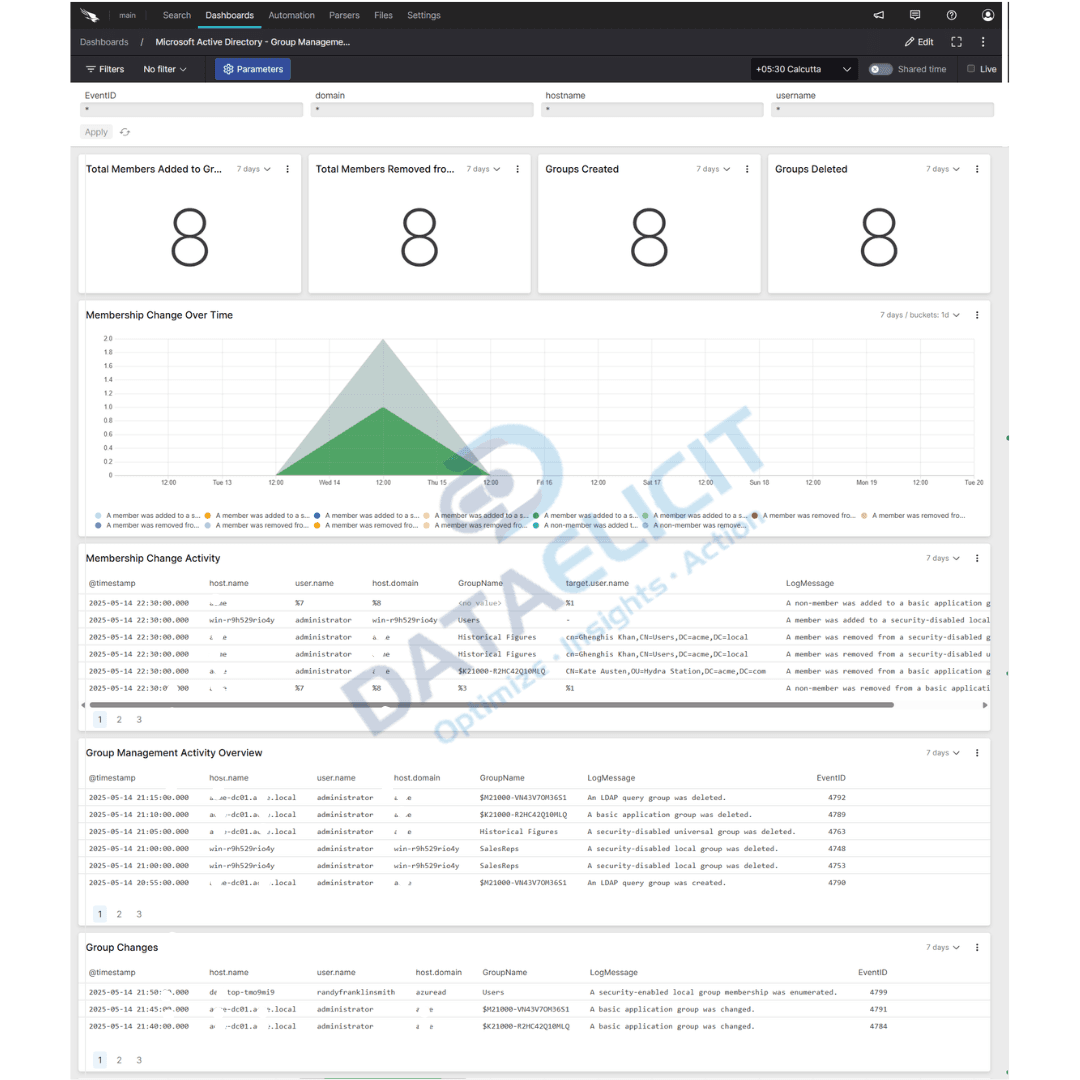
The package ships with dashboards that cover the main ways attackers and admins touch Active Directory. They are built to give operators quick visibility while still being easy to clone and customize for each environment.
Out of the box views include:
- ✓Account authentication dashboards that focus on sign in success, failures and lockouts across users, hosts and locations.
- ✓Account and group management views that highlight new accounts, disabled users and group membership changes that could carry risk.
- ✓Audit policy and directory services panels that help teams confirm which domain controllers are logging what, and how often.
- ✓Object activity and privilege access dashboards that surface sensitive changes to groups, service accounts and privileged roles.
Each dashboard is meant to be a starting point. Once connected to your domain controllers you can extend them with your own filters, service accounts and custom watch lists for high value assets.
Why this matters for identity teams
Identity incidents are often reconstructed from AD logs after the fact. If finding the right events means exporting EVTX files, guessing at Event IDs and stitching screenshots into a slide deck, then you lose time and context. With structured AD events in Falcon LogScale you can search by user, host or group, filter by outcome and see a clear timeline of activity without leaving the console.
Conclusion
The Microsoft Active Directory package for Falcon LogScale turns noisy Windows security logs into focused identity telemetry. Combined with LogConnector you get reliable ingestion, a parser that understands key Event IDs and dashboards that keep authentication, group changes and privilege use in view. That gives your security and identity teams faster detection, easier investigations and a better way to explain AD risk to leadership.
Ready to dive deeper into AD logs
In real projects we help teams decide how much AD data to stream, which domain controllers to prioritize and how to link Active Directory dashboards with identity providers, endpoint tools and SIEM views. The goal is a setup where critical AD questions can be answered in a few searches instead of days of manual triage.
Get in touch with us today
We work with security and identity teams that run critical workloads on Active Directory and need better visibility into how it is being used. That often means clearer sign in analytics, better tracking of group and privilege changes and fewer surprises when auditors ask for evidence.
Once ingestion and parsing are stable you can measure real improvements like reduced investigation time, faster response to suspicious changes and more confidence in the integrity of your identity infrastructure.
Get in touch with us today
to learn more about:
- ›LogConnector features and benefits
- ›Microsoft Active Directory package for Falcon LogScale
- ›How LogConnector and Falcon LogScale can enhance your IT and security operations
Related Articles
Explore more guides where LogConnector streams security focused telemetry into Falcon LogScale with normalized fields and ready to use dashboards.
Turn Box Logs into Actionable Insights with LogConnector and CrowdStrike
Use LogConnector to stream Box audit and access events into Falcon LogScale so analysts can investigate file access next to endpoint and identity activity.
Read More
Introducing DS Management App: A Faster Alternative to Splunk Forwarder or Agent
Replace manual deployment server work with an app that manages serverclasses, push status and Splunk app rollout from one place.
Read More
Enhance Certificate Audit Visibility with the DigiCert One Add-on for Splunk
Bring DigiCert certificate inventory and events into Splunk so you can track expiring certs, misconfigurations and risky usage patterns.
Read More