Enhance SaaS Security Visibility with the AppOmni Package for CrowdStrike Falcon LogScale
SaaS platforms hold identity, configuration and data access for entire businesses, which means misconfigurations show up as real risk. AppOmni surfaces that risk, but the raw events on their own are hard to align with other telemetry. The AppOmni package for Falcon LogScale uses LogConnector to stream normalized events into one place so you can study alerts, policy changes and tenant activity without bouncing between consoles.
As more teams lean on SaaS for core workloads, they need a clean view of who can do what, where risky changes are happening and how alerts evolve over time. AppOmni already collects that context across tenants and products. The Falcon LogScale package focuses on the next step, turning that feed into searchable, structured events in LogScale so security teams can cross reference SaaS data with endpoint, identity and network signals.
Overview of AppOmni parsers
The package ships with dedicated parsers that understand AppOmni event formats and map them into a consistent schema. One parser focuses on tenant and activity events, the other focuses on policy and configuration changes. Both align with the CrowdStrike Parsing Standard, which means field names match the rest of your Falcon and LogScale content.
- Normalizes audit events such as logins, permission changes and configuration updates so you can group by user, app, tenant or action without field hunting.
- Captures policy findings, rule hits and exceptions so analysts can compare what was configured with what is actually happening across SaaS platforms.
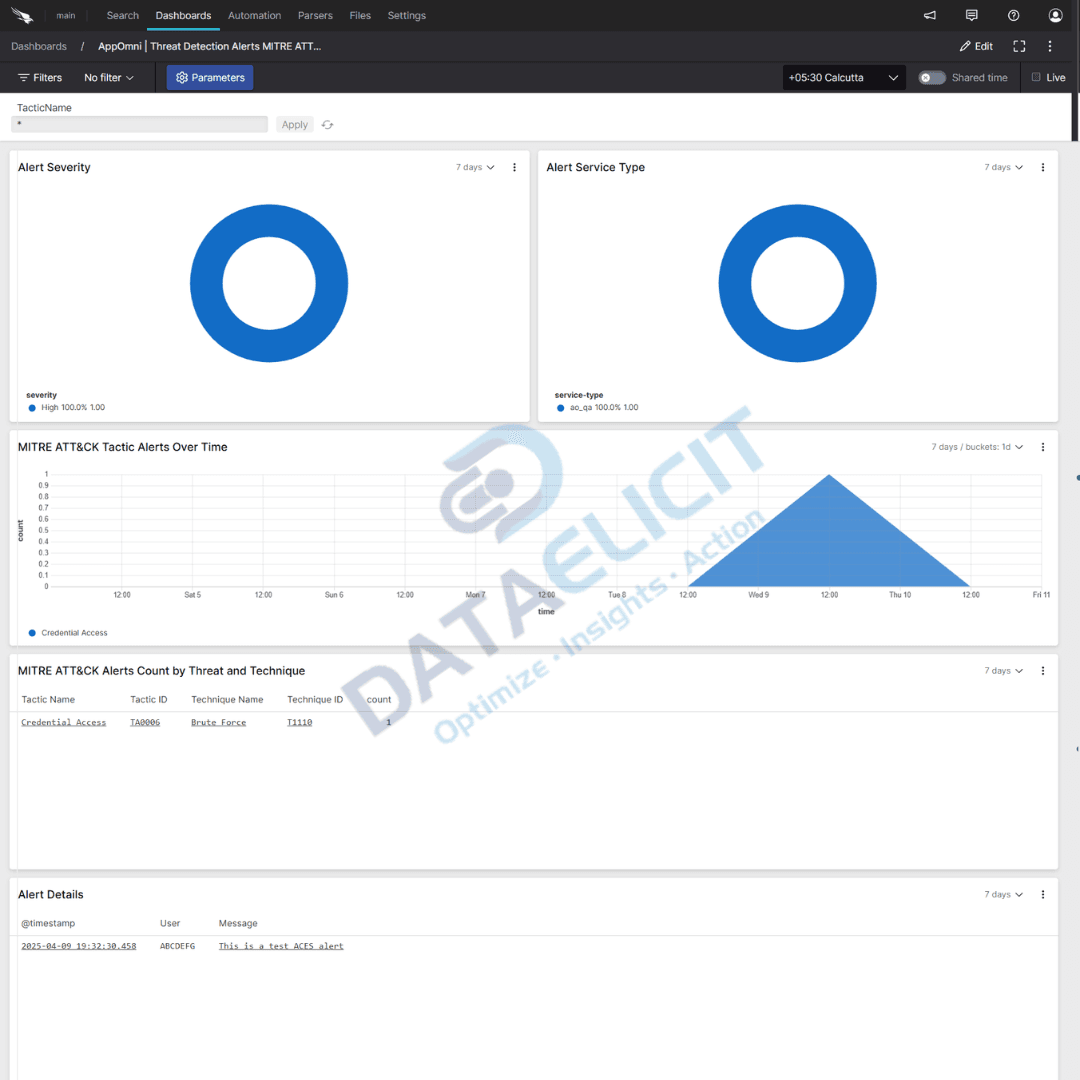
- Adds mapping to frameworks such as MITRE ATT&CK where appropriate, which gives investigations more context about techniques and likely follow up activity.
Dashboards that drive insight
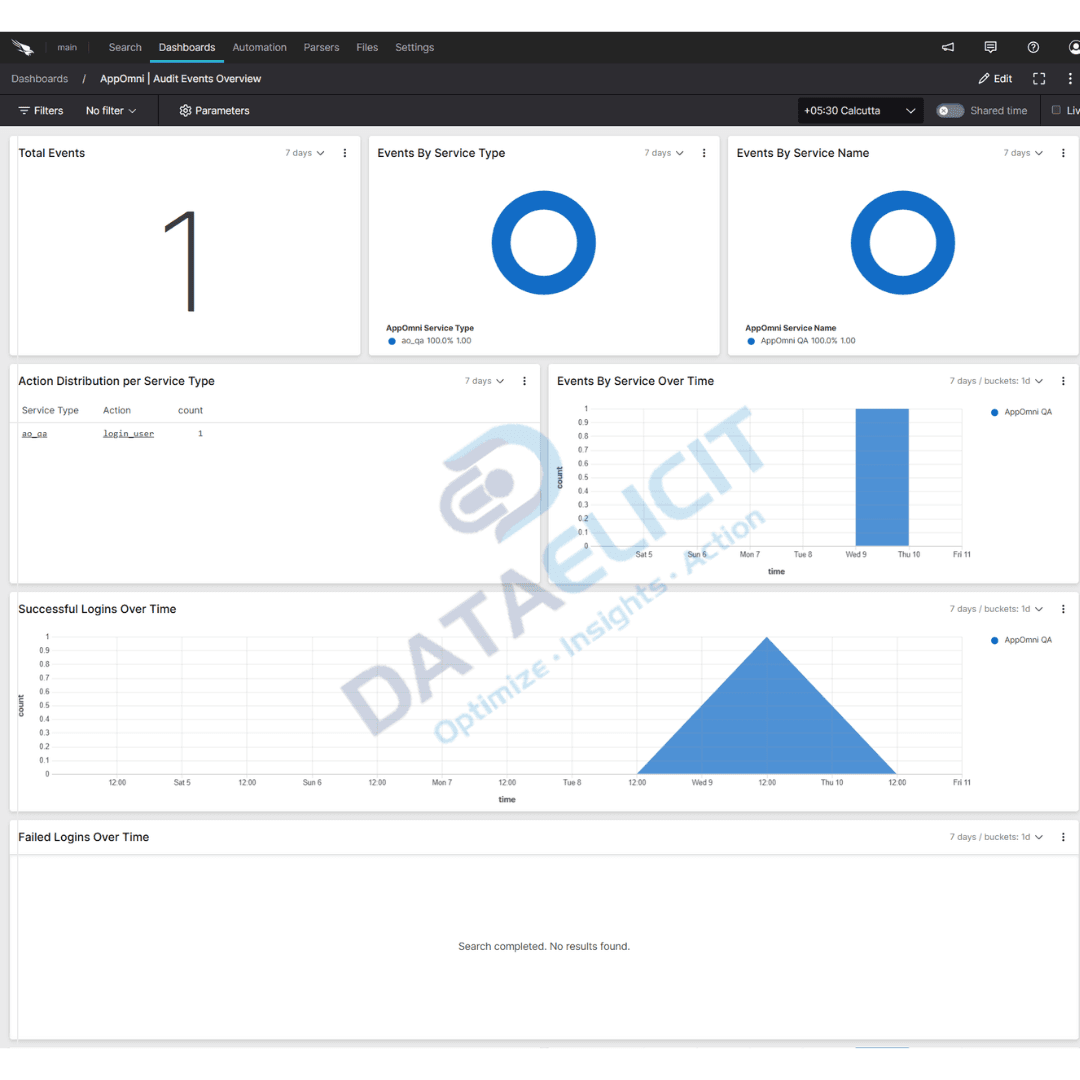
To avoid building every view from scratch, the package includes purpose built dashboards aimed at SaaS security workflows. They cover alerting, configuration health and user behavior, and are designed to be edited rather than replaced.
Out of the box you get dashboards for:
- ✓Audit events, showing who changed what across tenants and apps so you can track sensitive configuration and admin actions.
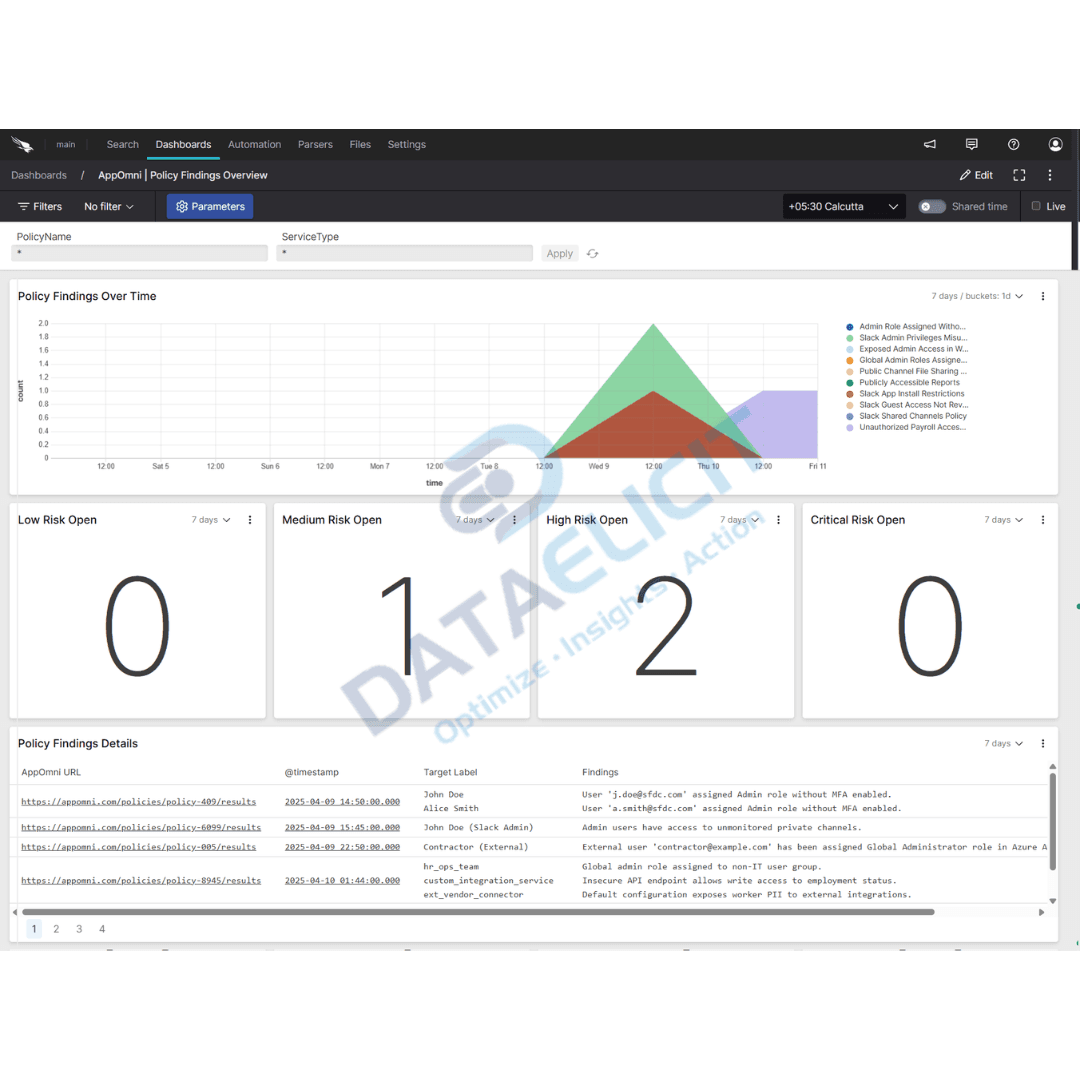
- ✓Policy findings, surfacing misconfigurations, risky exposures and exceptions in a way that supports routine hygiene reviews as well as incident triage.
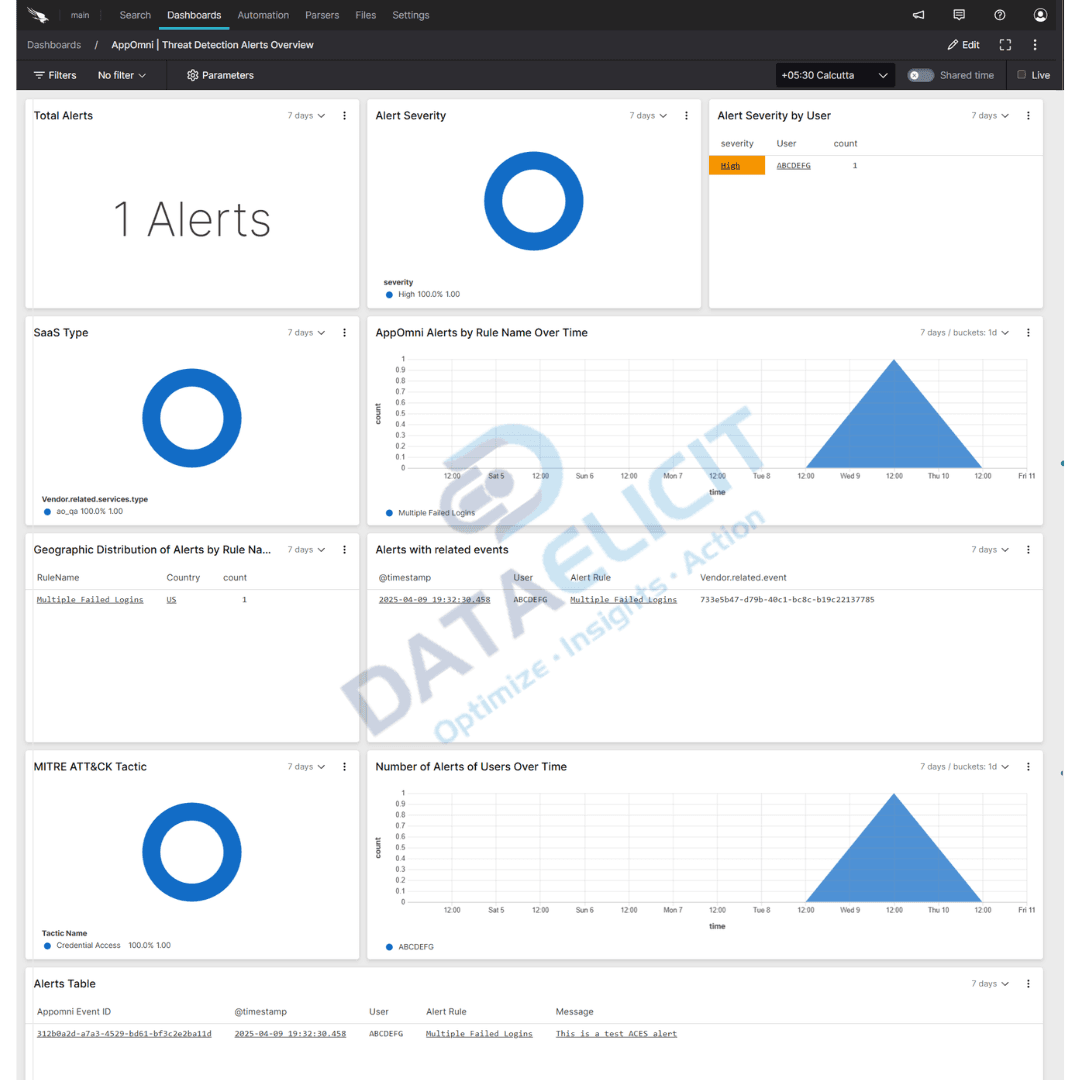
- ✓Threat detection alerts, summarizing alert volume, severity and affected users so responders can prioritize work rather than paging through individual events.
Each dashboard is aimed at a specific audience, from SaaS platform owners who need posture trends to SOC analysts who want fast pivots when a new SaaS incident kicks off.
Conclusion
The AppOmni package for Falcon LogScale gives security teams a clean way to move from raw SaaS telemetry to useful analytics. Parsed events, mapped techniques and focused dashboards mean you spend less time arguing with log formats and more time deciding how to reduce exposure. Combined with other LogConnector pipelines, SaaS activity becomes one more high value signal in the same investigation toolkit as your endpoint, identity and network data.
Get in touch with us today
We work with security and platform teams that already invest in AppOmni but want the same depth of reporting and search they have for other log sources. That usually means better context for SaaS incidents, cleaner reporting for leadership and fewer blind spots caused by siloed SaaS consoles.
Once the pipeline is stable, you can track concrete outcomes like reduced time to understand new SaaS alerts, quicker detection of misconfigured access and more confident change control around sensitive settings.
We also help teams decide how much data to keep hot, which tenants and apps deserve higher logging levels and how to plug SaaS dashboards into existing reporting and alert flows.
Get in touch with us today
to learn more about:
- ›LogConnector features and benefits
- ›AppOmni package for Falcon LogScale
- ›How LogConnector and Falcon LogScale can enhance your IT and security operations
Related Articles
Explore more integration guides where LogConnector feeds data into Falcon LogScale with normalized fields and ready to use dashboards.
Turn Box Logs into Actionable Insights with LogConnector and CrowdStrike
Stream Box audit and activity events into Falcon LogScale through LogConnector so security teams can follow file access next to endpoint and identity data.
Read More
Introducing DS Management App: A Faster Alternative to Splunk Forwarder/Agent
Use DS Management App to control Splunk deployment server, app rollout and forwarder groups from a single workspace instead of hand editing config files.
Read More
Enhance Certificate Audit Visibility with the DigiCert One Add-on for Splunk
Bring DigiCert One certificate events into Splunk so you can track issuance, expiry and risky changes without living inside the CA console.
Read More