Transforming PingIdentity PingOne Logs into Actionable Insights Using Falcon LogScale
Identity is usually the first line of defense and also the loudest source of telemetry. PingOne logs describe sign ins, MFA prompts, app launches, and configuration changes in detail, but at scale they become hard to search. With LogConnector feeding Falcon LogScale you get structured PingOne events that map to a common schema so security and IAM teams can focus on risky behavior instead of log plumbing.
Modern access stacks rely on PingOne to decide who can use which application, from where, and under what conditions. The resulting logs are perfect for answering questions about suspicious sign ins, failed MFA, or misconfigured clients, but only if they are normalized and retained in a place that analysts actually like using. Pairing PingOne with Falcon LogScale gives you fast search, long term storage, and dashboards that track how identity is used across the business.
Introduction to LogConnector for PingOne
LogConnector sits between PingOne and Falcon LogScale and handles the boring parts: API auth, checkpointing, field cleanup, and routing. It keeps track of where each stream was last read so you are not rebuilding one off collectors every time PingOne releases a new event type.
- Ingests audit, authentication, MFA, admin, and application activity feeds and flattens nested payloads into clean events.
- Maps fields into the CrowdStrike Parsing Standard layout so PingOne data lines up with other identity and endpoint sources in Falcon LogScale.
- Applies routing rules that separate high value security events from low priority noise which keeps searches fast and storage costs predictable.
Parsing PingOne logs and turning them into dashboards
The PingOne parsers are built to understand how users, clients, and admins interact with your identity stack. They clean up the raw payloads and make them searchable with simple field names.
The parsers remove the usual friction:
- ✕No manual hunting through different logs for a single session. Events link across user, device, application, and policy so a full journey is visible in one view.
- ✕Less time reformatting timestamps, identifiers, or IP fields. Normalization keeps values consistent across all identity sources.
- ✕Reduced risk of losing information when PingOne adds new attributes. The CPS schema provides a stable place to store them without rewriting every search.
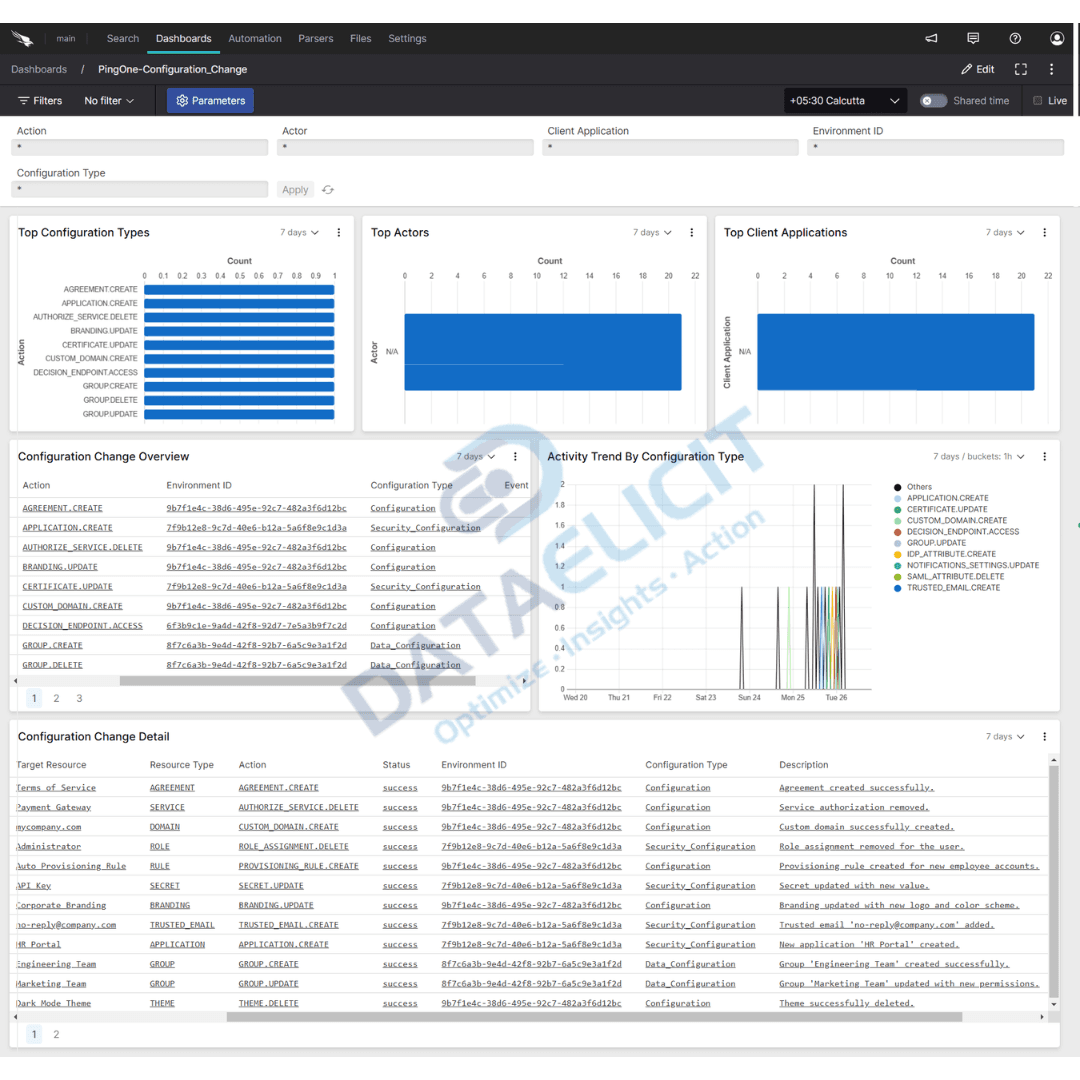
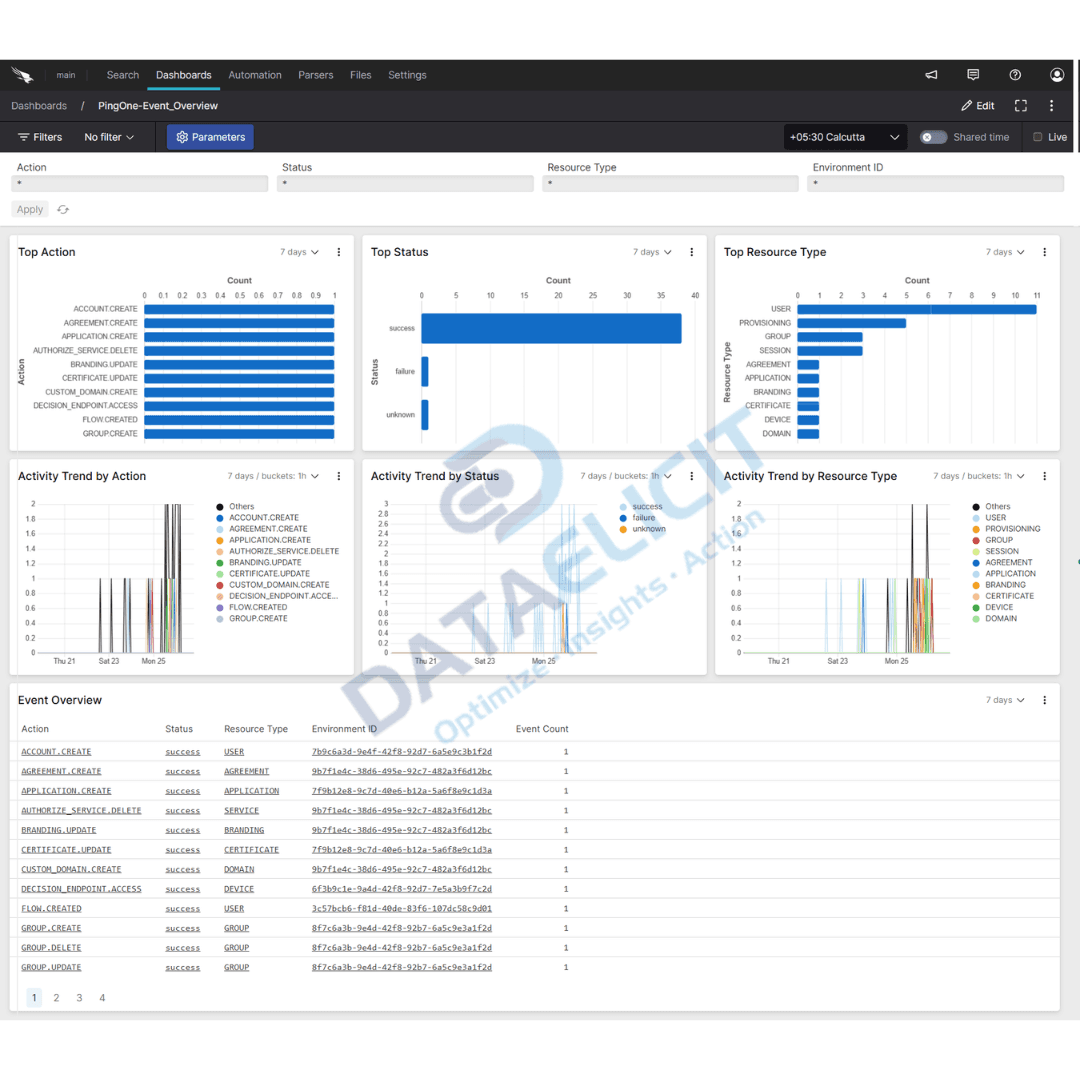
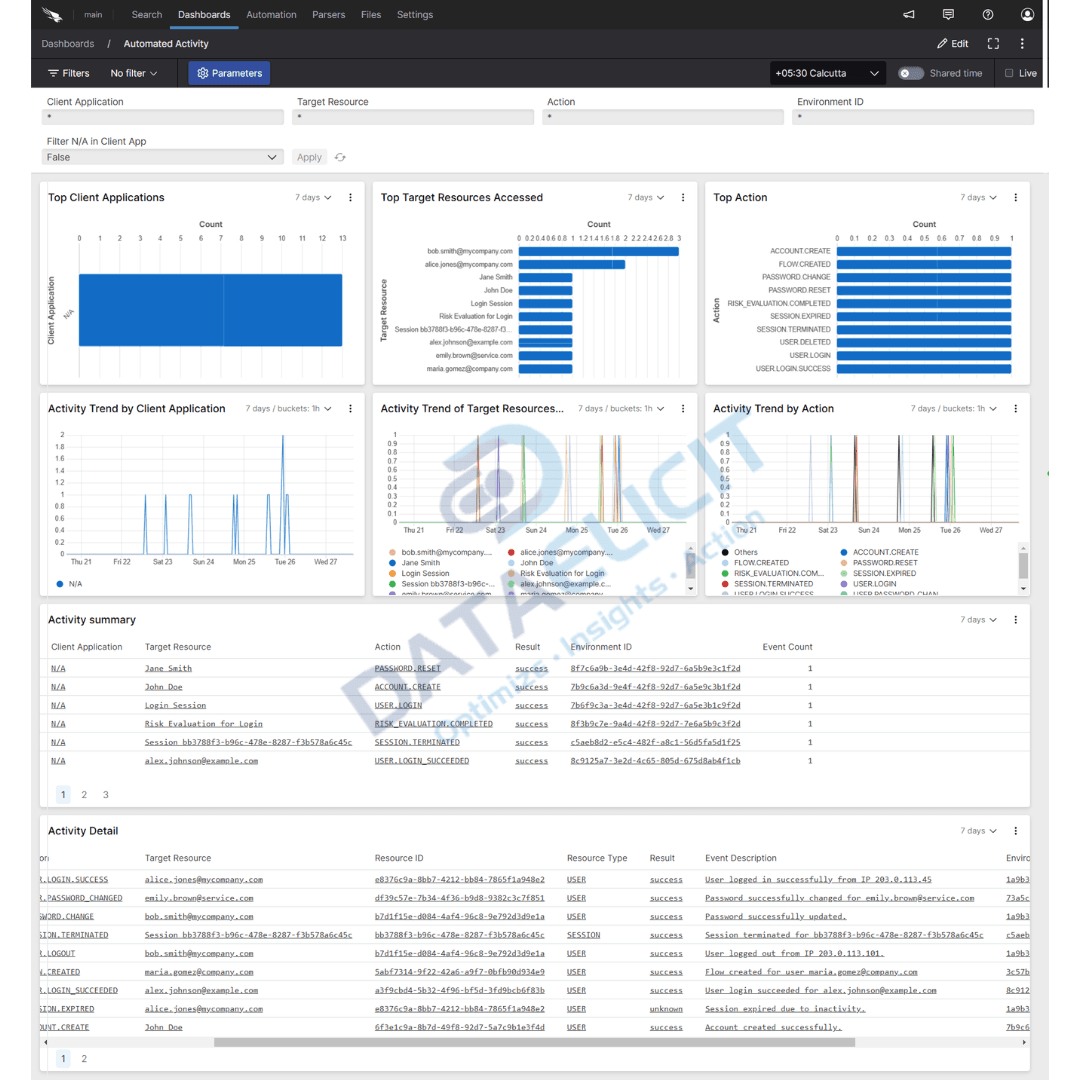
On top of the parsers sit ready to use Falcon LogScale dashboards:
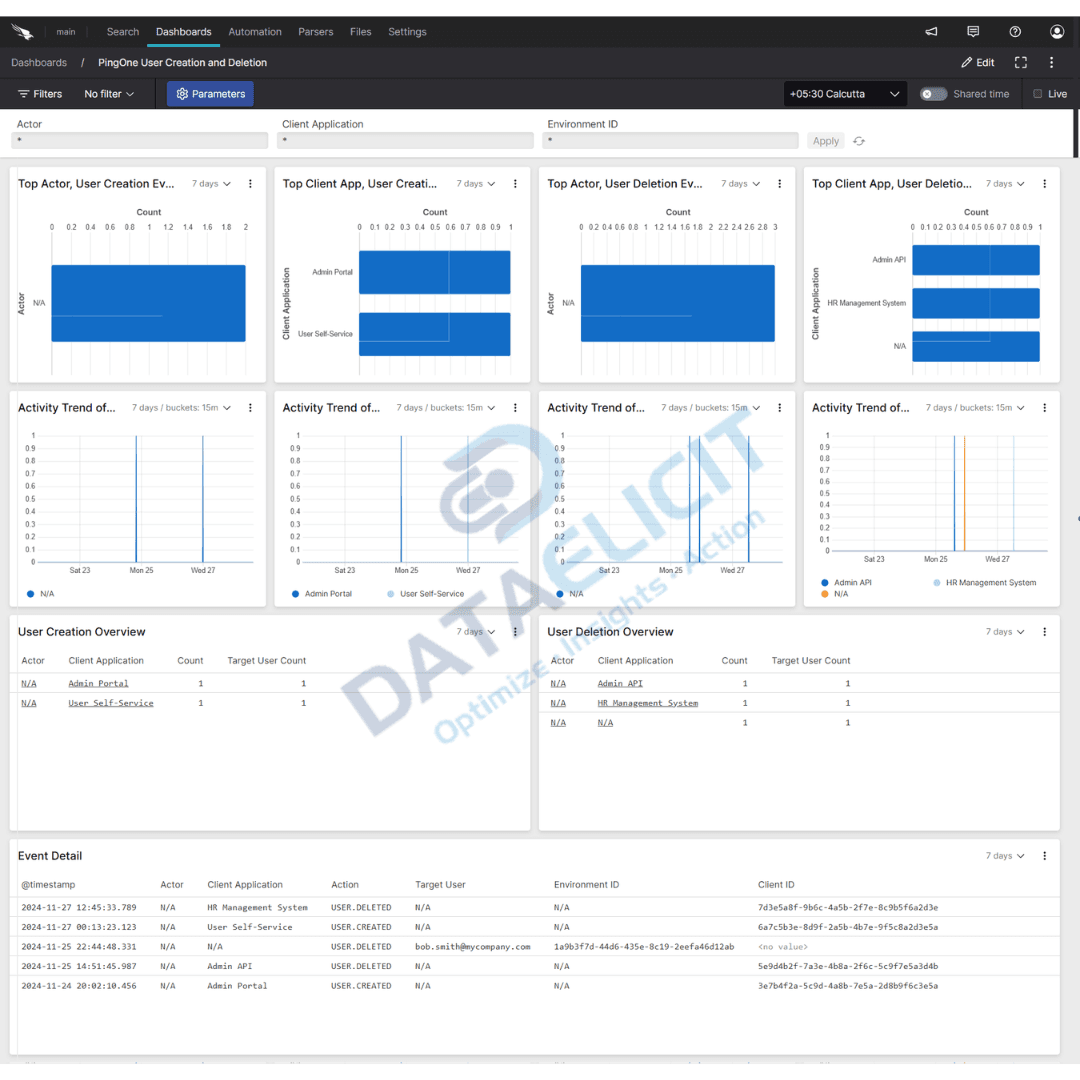
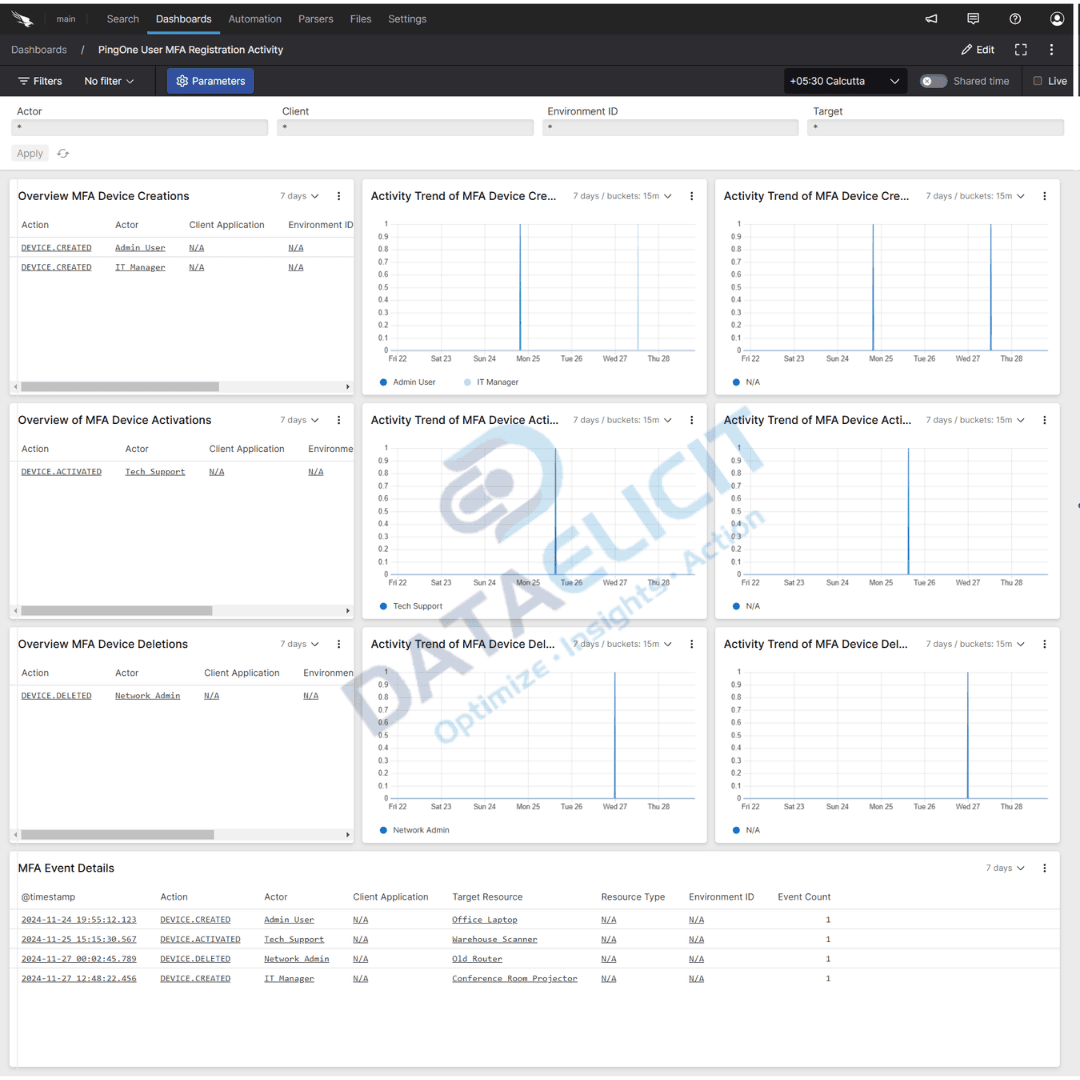
- ✓Automated activity views that highlight bulk account changes, policy updates, and unusual admin actions.
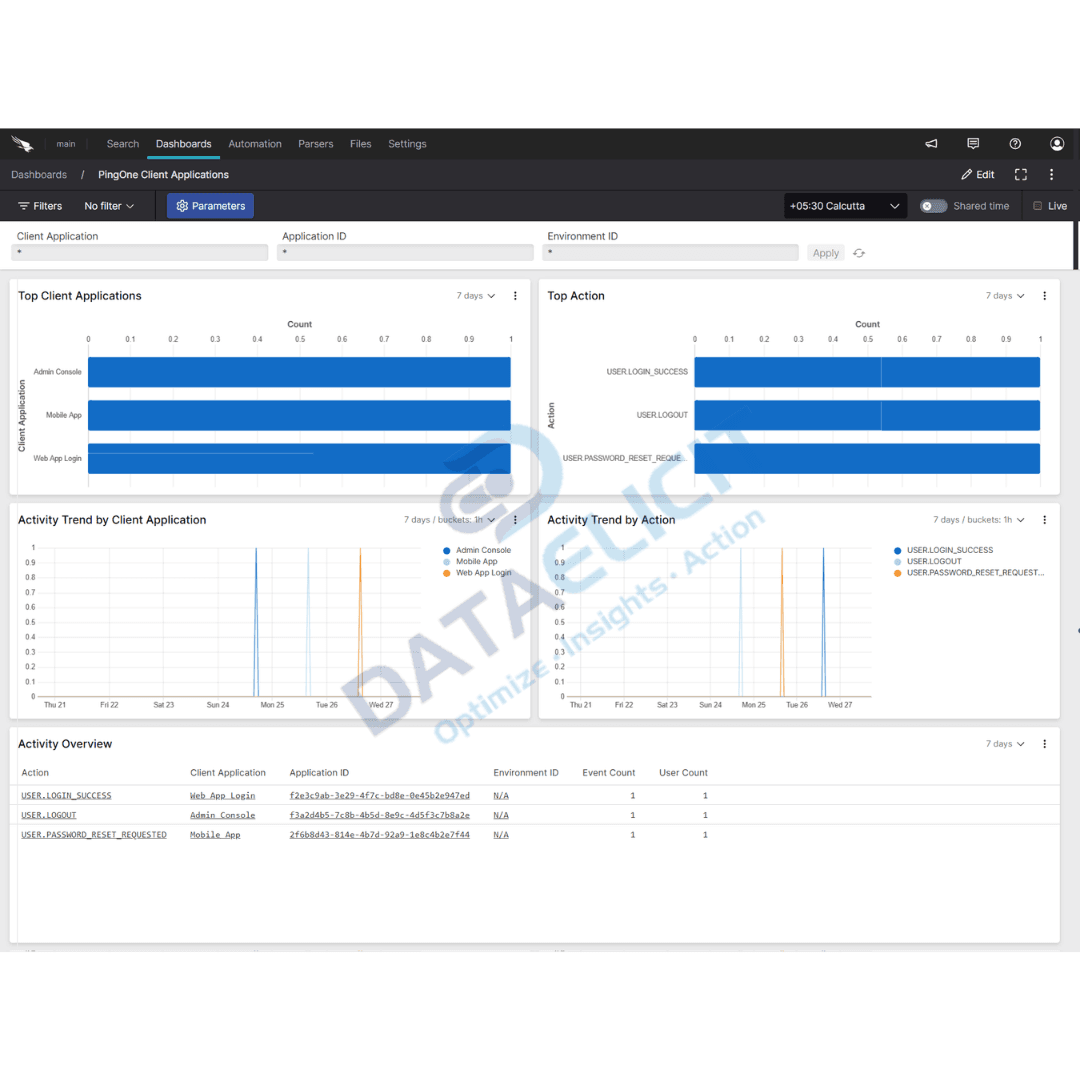
- ✓Client application panels that show which apps drive the most logins, failures, and MFA prompts.
- ✓External identity provider activity broken out by tenant, region, and outcome so federation issues surface quickly.
- ✓User activity dashboards that track risky sign in patterns, repeated failures, and access from suspicious locations.
With these dashboards in place, PingOne stops being a black box and becomes a clear picture of who is doing what across your identity estate.
Conclusion
Combining PingOne with LogConnector and Falcon LogScale gives you a practical way to turn identity logs into decisions. Instead of raw events scattered across tools you get structured data, consistent schemas, and dashboards that help IAM and security teams answer questions about access, risk, and policy health in minutes.
Ready to dive deeper?
The examples here focus on core patterns. On real deployments we help customers decide which PingOne streams to onboard, where to keep high value events, and how to structure dashboards for identity, security, and compliance teams.
Once ingestion is stable you can track concrete outcomes: faster investigation of suspicious sign ins, fewer tickets about broken access, and clearer reporting on how identity policies protect the business.
Talk to the team
Want your PingOne logs to work harder?
We partner with IAM and security teams to stand up LogConnector driven pipelines, align PingOne events to CPS, and design dashboards that match how your environment actually works.
Get in touch with us today
to learn more about:
- ›LogConnector features and benefits
- ›PingIdentity PingOne package for Falcon LogScale
- ›How LogConnector and Falcon LogScale can enhance your IT and security operations
Related Articles
Explore more guides that connect LogConnector, Falcon LogScale, and other security platforms into a single analytics surface.
Enhance your network visibility with Auvik Networks Add-on for Splunk
Use Auvik telemetry inside Splunk to understand device health, topology, and performance from a single place.
Read More
Turn Box Logs into Actionable Insights with LogConnector and CrowdStrike
Stream Box audit events into Falcon LogScale and investigate file activity next to endpoint and identity data.
Read More
Introducing DS Management App: A Faster Alternative to Splunk Forwarder or Agent
Control deployment server, serverclasses, and Splunk app pushes from one central UI.
Read More