Turn Box Logs into Actionable Insights with LogConnector and CrowdStrike Falcon LogScale
Box holds a ridiculous amount of sensitive activity data: uploads, external shares, suspicious downloads and odd working hours. The raw audit feed is detailed but painful to use at scale. By pairing LogConnector with Falcon LogScale, you turn those events into a structured signal that helps security, legal and compliance teams see what is really happening across your content estate.
Teams use Box as the place where contracts, financials and internal documents actually live. That also makes it a prime target for data exfiltration and misuse. Box audit logs capture every open, share and permission change, but trying to investigate issues inside Box alone quickly becomes slow and fragmented. Falcon LogScale gives you the speed and scale you want for search and retention. LogConnector provides the missing bridge that gets Box events into Falcon LogScale in a clean, normalized way.
Introduction to LogConnector
LogConnector is a custom application that sits between Box, other SaaS sources and CrowdStrike Falcon LogScale. It handles collection, transformation and routing so your engineers avoid fragile scripts and one off integrations every time a new source is added.
- Normalizes fields across Box audit, user and content events so searches and dashboards behave consistently across tenants and regions.
- Adds light enrichment so teams can slice activity by sensitivity, folder, business unit, user type or device without complex joins.
- Routes only the events and attributes that matter into Falcon LogScale which keeps ingestion cost aligned with policy and still preserves the context that security and compliance need.
Effortless onboarding and powerful analysis of Box logs with Box connector
With the Box connector configured inside LogConnector, Box activity flows into Falcon LogScale using a predictable schema. That turns Box from a separate console into another high value signal in your core investigation workflow.
Box connector allows you to pull:
- ✓Box audit activity including logins, file access, sharing, external collaboration and admin changes.
- ✓Files and folders metadata so you can see which content is touched, where it lives and who owns it.
- ✓User and groups activity that highlights risky accounts, overloaded admins and unusual collaboration patterns.
- ✓Content focused metrics that help compliance and legal teams track where sensitive files are accessed or moved.
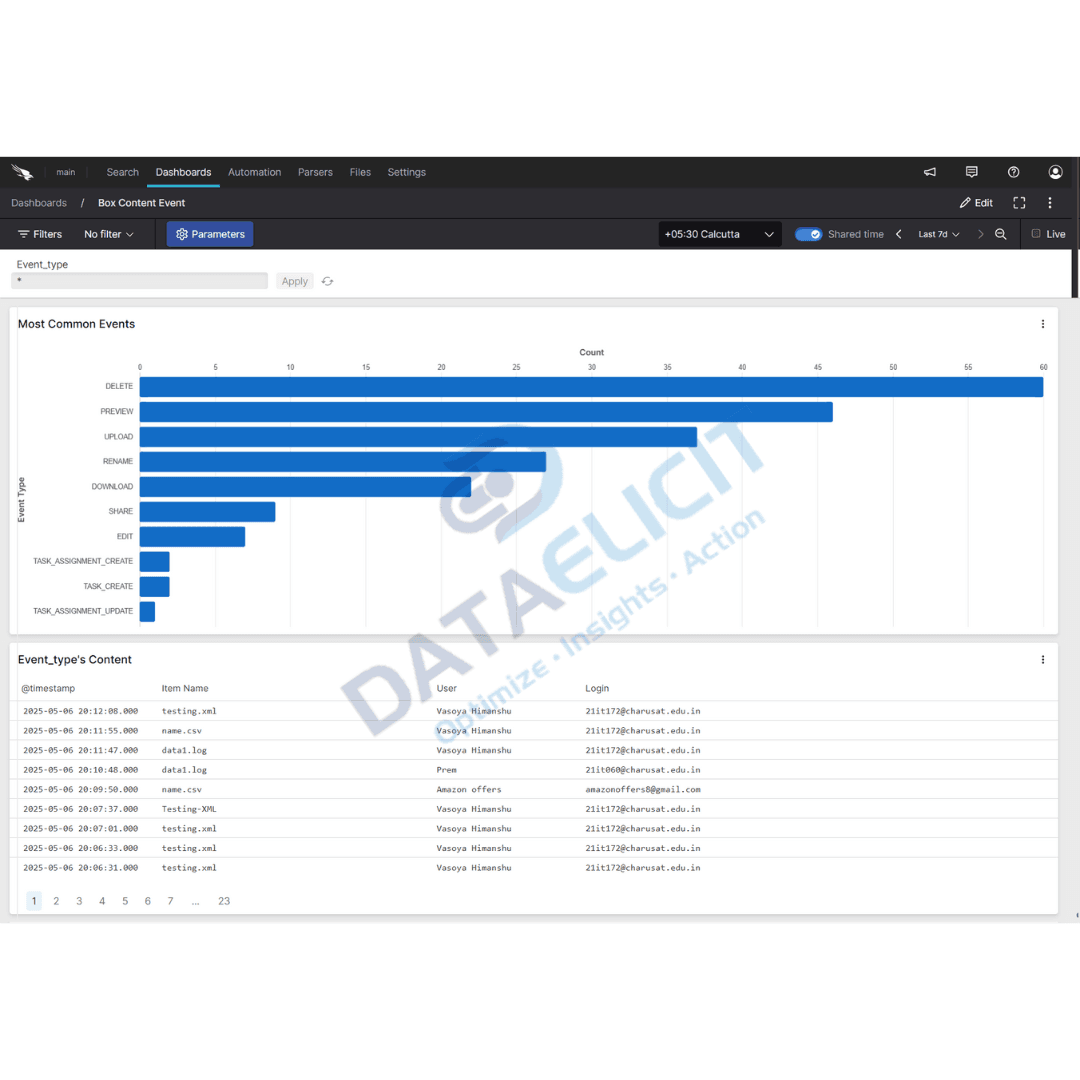
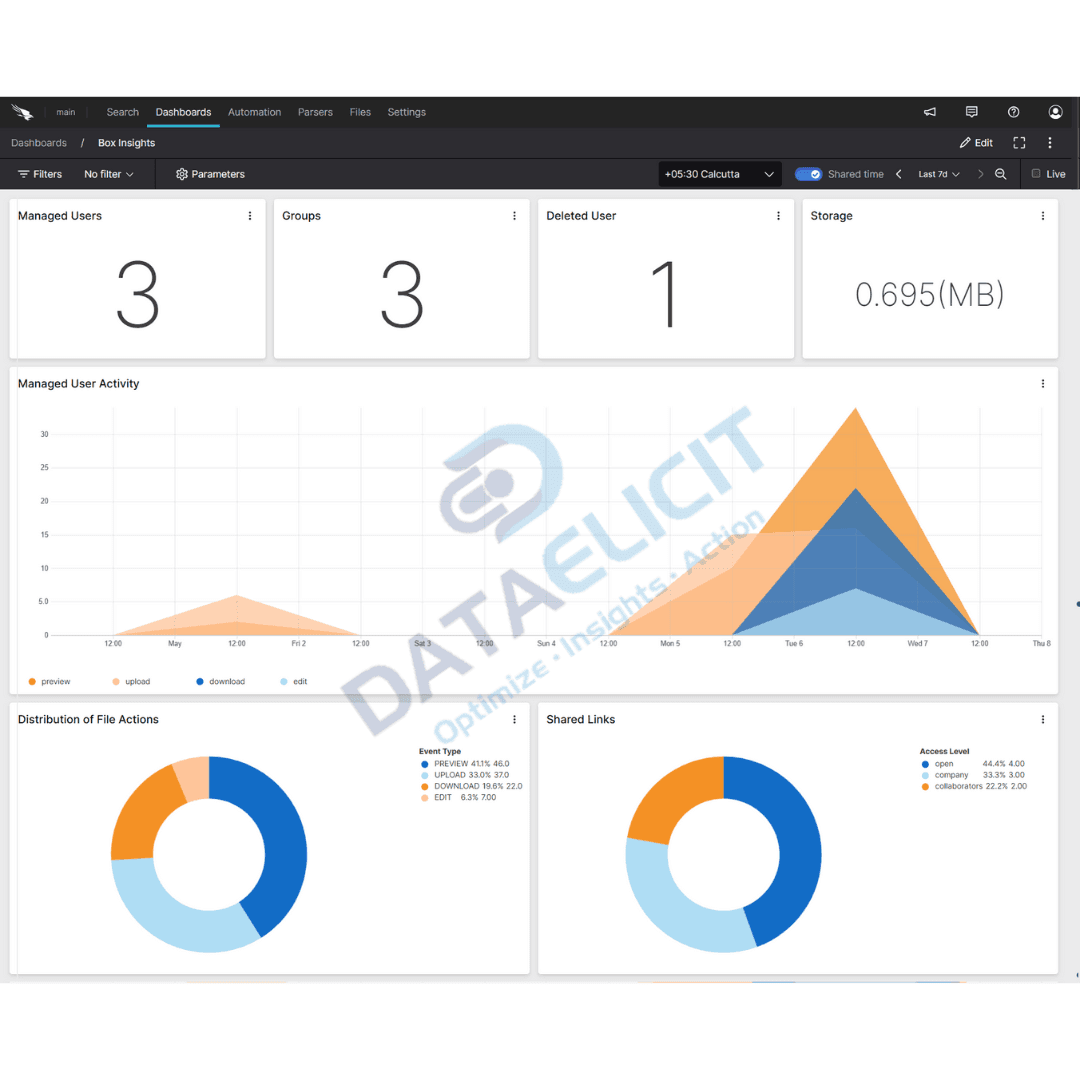
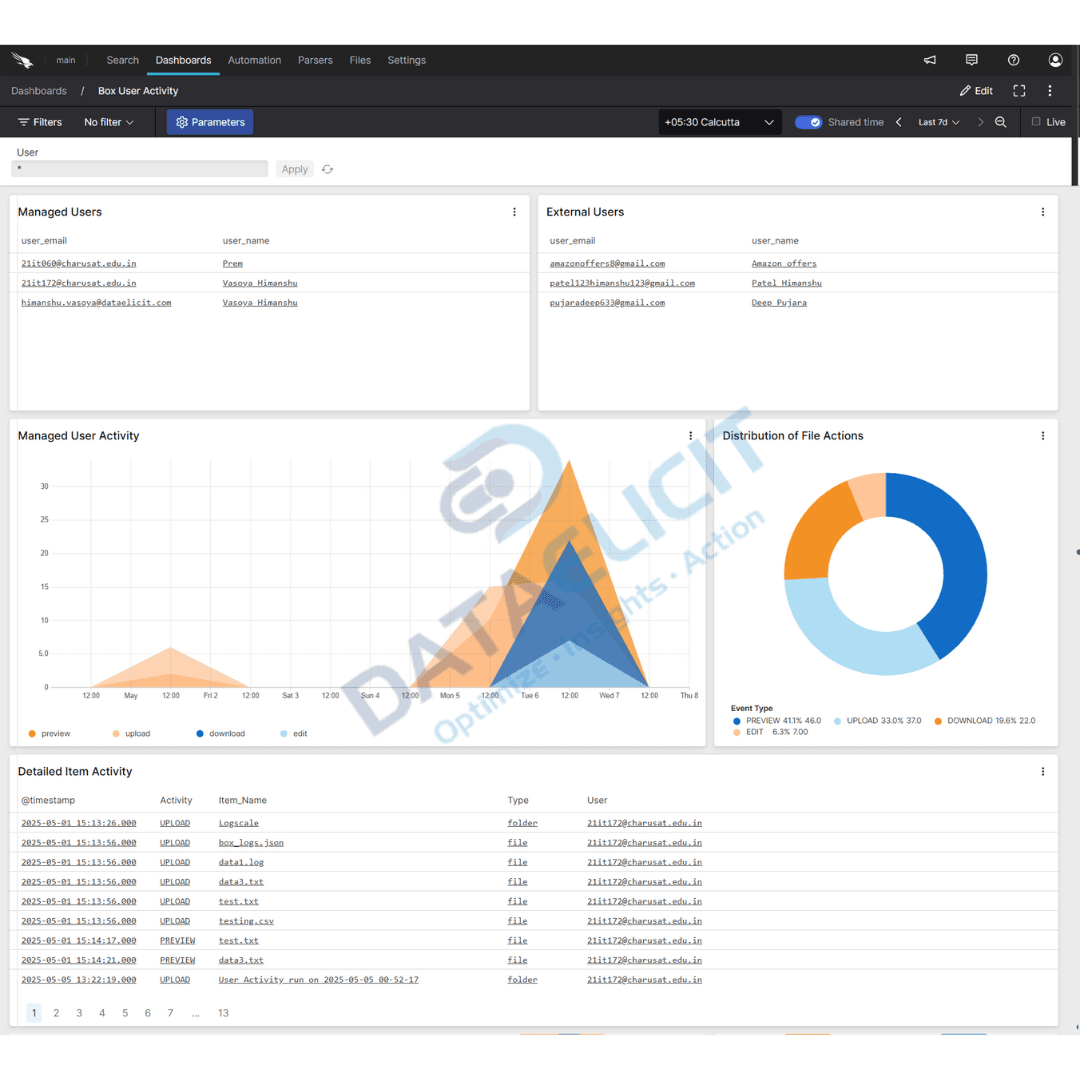
Once this telemetry is normalized and indexed in Falcon LogScale, the Box dashboards provide a clear view into data movement, sharing trends and suspicious patterns. Security, compliance and IT teams all work from the same picture instead of exporting CSVs out of Box every time there is a question.
Conclusion
With LogConnector and Falcon LogScale, Box goes from a black box of audit logs to a clear view of how content is used and shared. You gain a full stack solution for ingesting, parsing and visualizing Box activity data without building a pipeline by hand. That means cleaner investigations, fewer surprises around sensitive files and better support for compliance and legal teams.
Ready to dive deeper?
The approach in this article is how we usually start Box projects. In live environments we help customers tune routing, create Box specific indexes and build dashboards that reflect how security, legal and business owners actually use Box.
With LogConnector handling the extraction and transformation, Box telemetry lands in Falcon LogScale in a consistent way. That keeps searches fast, alerts predictable and reporting far easier when something goes wrong or an audit appears.
Get in touch with us today
to learn more about:
- ›LogConnector features and benefits
- ›The Box connector and its capabilities
- ›How LogConnector and Falcon LogScale can enhance IT and security operations
Featured Articles
Explore more guides, integrations and use cases powered by LogConnector and Falcon LogScale.
Cost Efficient EventHub to Falcon LogScale Data Ingestion with LogConnector
Send Azure EventHub streams into Falcon LogScale with controlled schemas, routing and cost visibility.
Read More
Route 1Password Logs to CrowdStrike Falcon LogScale with LogConnector
Protect privileged access by centralizing 1Password telemetry into Falcon LogScale with clean mappings.
Read More
Route GitHub Logs to CrowdStrike Falcon LogScale with LogConnector
Pull Github audit data into Falcon LogScale so security teams can see code, identity and endpoint in one place.
Read More