Ingest Microsoft 365 Logs into CrowdStrike Falcon LogScale with LogConnector
Microsoft 365 produces a flood of audit, security and activity logs. LogConnector standardizes those signals and routes them into CrowdStrike Falcon LogScale so you get consistent schemas, lower storage costs and investigations that finish on time.
In today's data driven landscape, teams depend on Microsoft 365 for collaboration, identity and security signals. The problem is that the raw logs are scattered across workloads, noisy and expensive to store at scale. Falcon LogScale gives you powerful, high speed search, but the value only shows up once the telemetry is normalized and routed correctly. That is where LogConnector comes in.
Introduction to LogConnector
LogConnector is a lightweight application that sits between your Microsoft 365 estate and Falcon LogScale. It handles collection, normalization and routing so that you do not have to maintain custom scripts and one-off pipelines for every new workload that your security team wants to onboard.
- Normalizes logs from Microsoft 365 services such as Exchange Online, SharePoint, Azure AD and Teams into a consistent schema.
- Applies light enrichment and tagging so investigations can pivot across user, device, tenant and application without painful joins.
- Sends only clean, routed data into Falcon LogScale indexes, which keeps storage under control and reduces duplicate noise.
Effortless onboarding and powerful analysis of Microsoft 365 logs
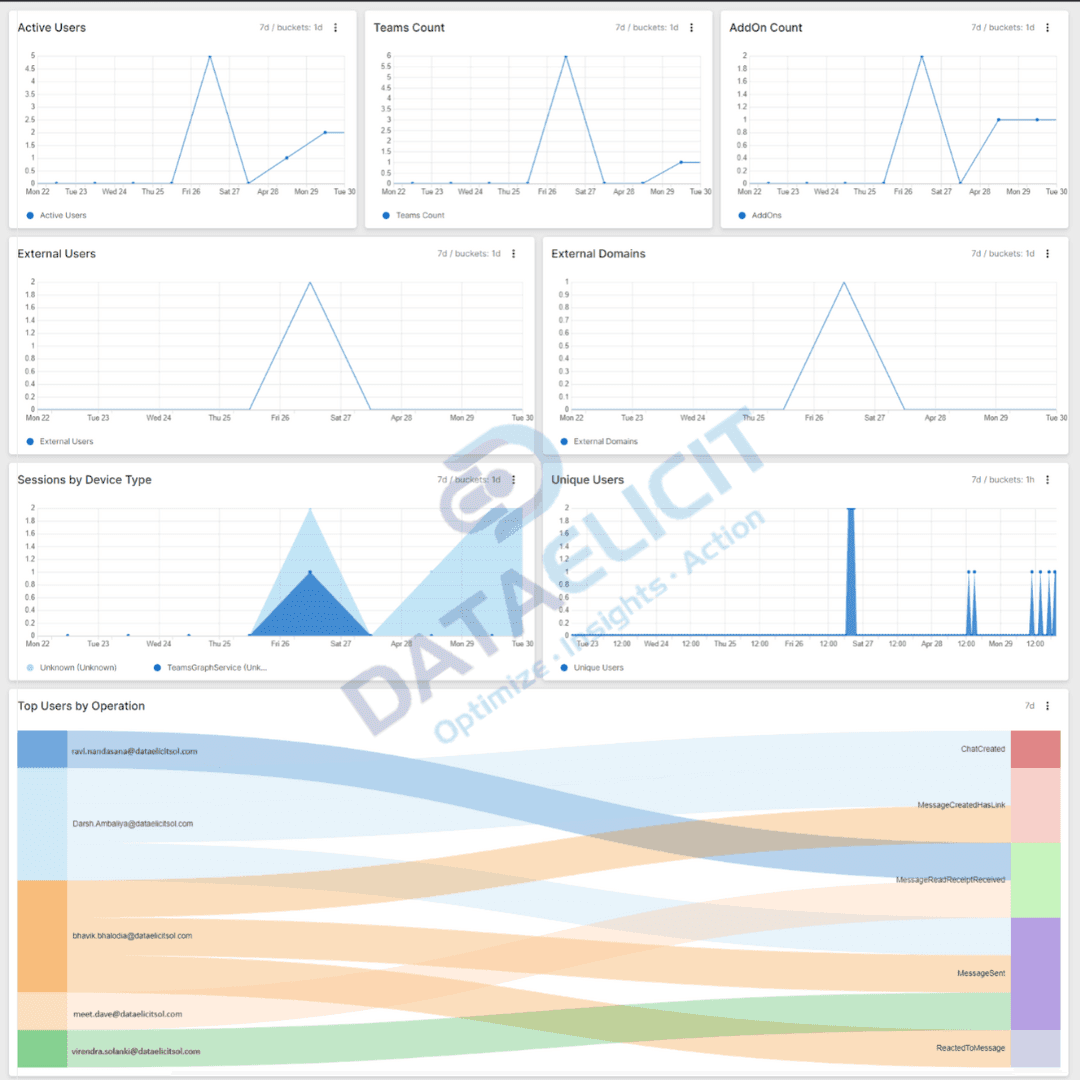
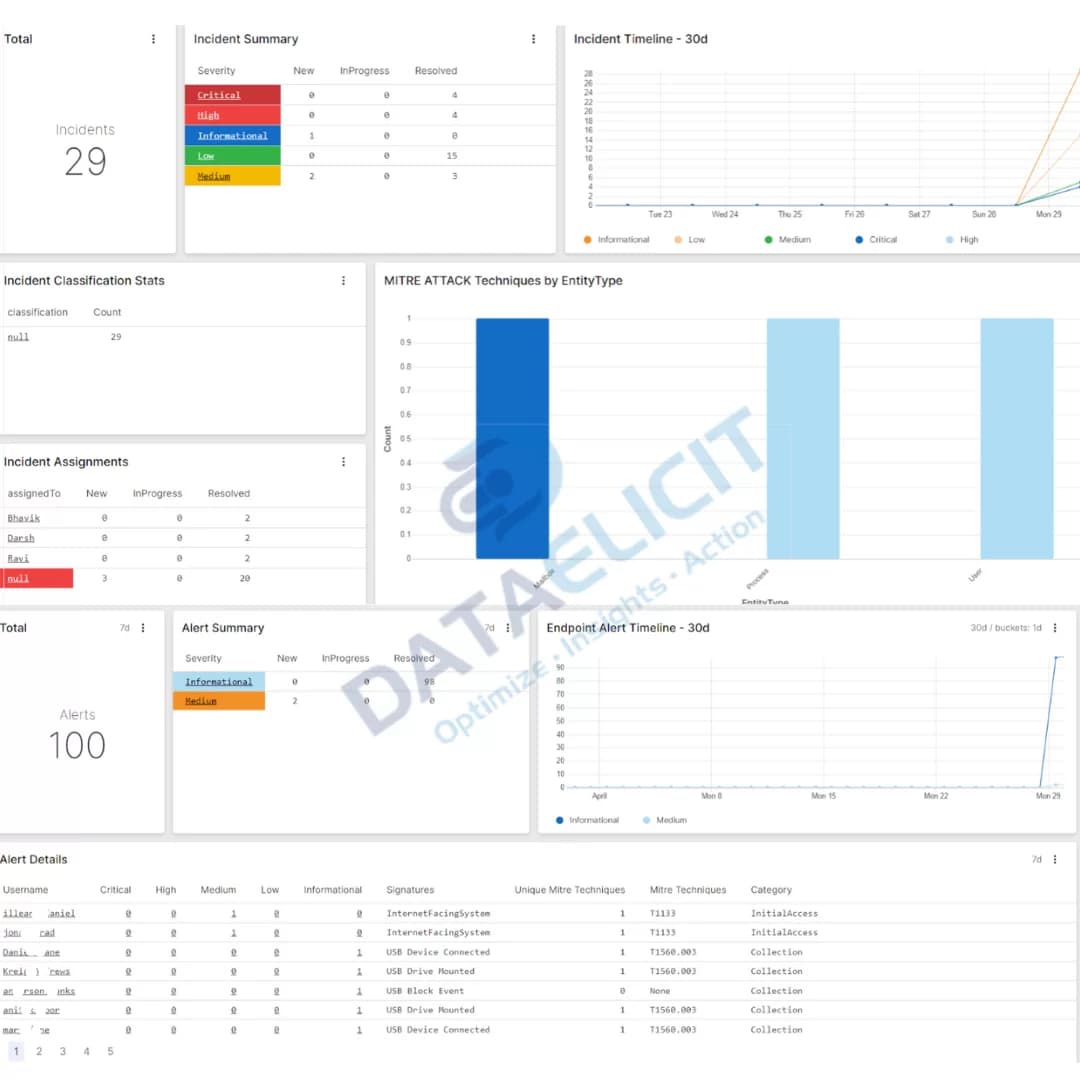
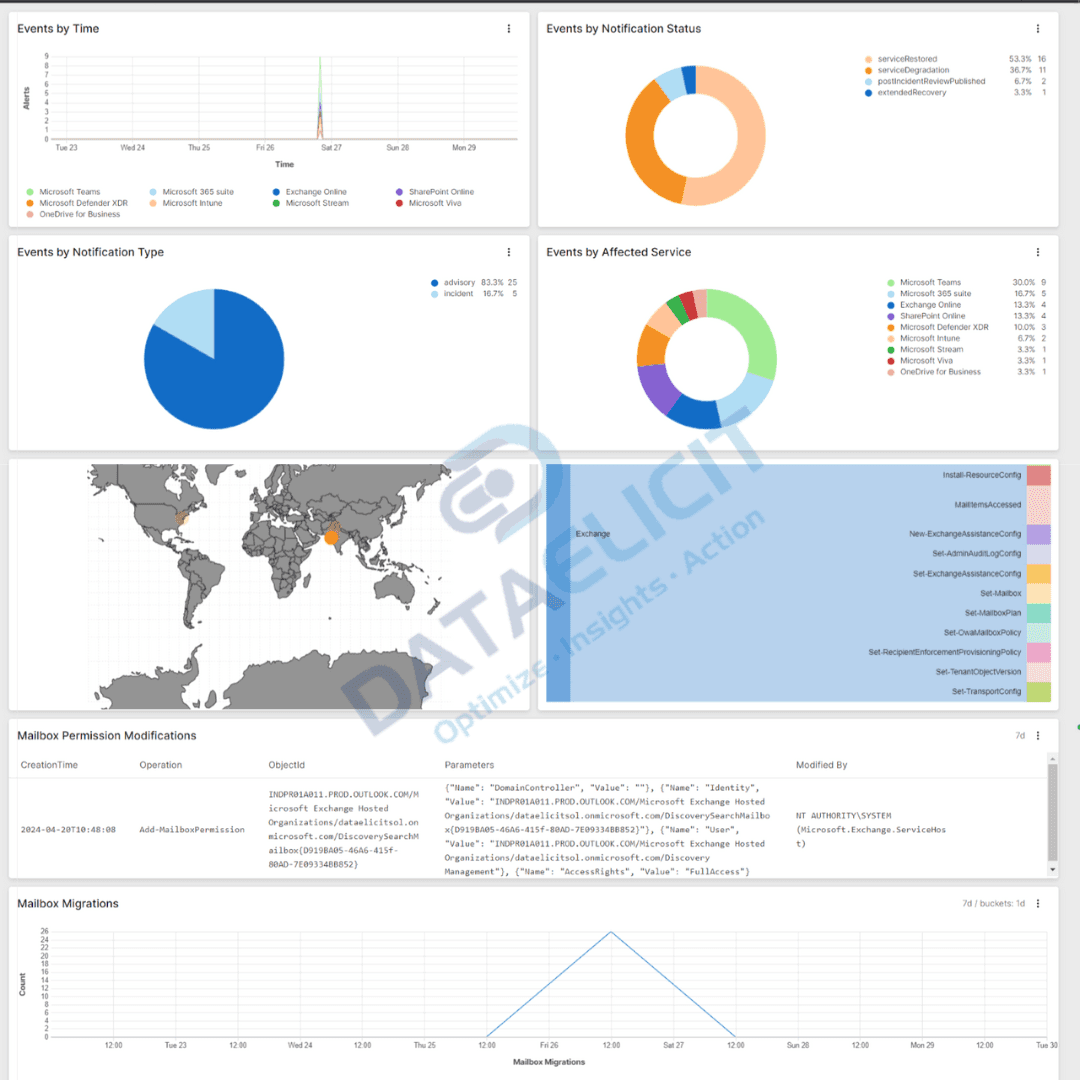
The M365 connector pulls rich telemetry from Microsoft 365 into Falcon LogScale so your admins are not hunting through separate portals for every signal. Once data is normalized and routed through LogConnector, you can use focused dashboards to monitor health, usage and security in one place.
M365 connector allows you to pull:
- ✓Reports for Exchange Online, SharePoint, OneDrive, Teams and other Microsoft 365 workloads in a single schema.
- ✓Service health and incident signals so you can correlate user impact with platform issues instead of guessing.
- ✓Audit, sign in and activity logs across tenants that feed directly into investigation and compliance workflows.
- ✓Microsoft Defender 365 alerts and security events that sit next to your endpoint and network telemetry in Falcon LogScale.
With these streams standardized through LogConnector, M365 dashboards in Falcon LogScale become less of a pretty picture and more of a daily operations console for IT and security teams.
Conclusion
Efficient IT administration is essential for driving organizational productivity and keeping your environment secure and compliant. CrowdStrike Falcon LogScale, combined with LogConnector and the M365 connector, gives teams a full stack for ingesting, normalizing and analyzing Microsoft 365 logs without duct-tape pipelines. By following the steps in this guide, administrators can accelerate onboarding, gain deeper visibility into their Microsoft 365 estate and keep day-to-day operations predictable instead of reactive.
Ready to dive deeper?
This article gives you the big picture. In real projects, LogConnector and Falcon LogScale let you go much further: custom routing rules, normalized fields across workloads, long-term storage for investigations and dashboards tuned to how your team actually works.
With LogConnector in front of Falcon LogScale, you can get rid of fragile ingestion scripts, standardize how Microsoft 365 data lands in your indexes and keep dashboards fast even as volume grows. That is usually where teams start to feel the difference between “we have the logs” and “we can use the logs”.
Get in touch with us today
to learn more about:
- ›LogConnector features and benefits
- ›The M365 connector and its capabilities
- ›How LogConnector and Falcon LogScale enhance IT and security operations
Featured Articles
Explore more guides, use cases and blog posts.
Transforming Fortinet FortiGate Logs into Actionable Insights Using Falcon LogScale
How Falcon LogScale turns FortiGate firewall logs into meaningful security intelligence.
Read More
Transforming Palo Alto Firewall Logs into Actionable Insights Using Falcon LogScale
Turn rich Palo Alto telemetry into high speed analytics using LogScale.
Read More
Route Azure Logs to CrowdStrike Falcon LogScale with LogConnector
Azure generates a constant stream of audit, platform and resource logs.
Read More