Route Azure EventHub Data to CrowdStrike Falcon LogScale with LogConnector
Azure EventHub is the pipe for a lot of security and platform telemetry, but pushing that firehose into Falcon LogScale through Logic Apps gets expensive and fragile very fast. LogConnector’s Azure connector gives you a single, predictable path from EventHub into Falcon LogScale with proper schemas, routing and cost control so you can scale without burning the budget.
Organizations send all kinds of activity into Azure EventHub: platform logs, application metrics, security events and more. That stream is perfect for Falcon LogScale, where cheap storage and fast search make it easy to keep long history and run real investigations. The usual pattern relies on Azure Logic Apps to move data across, which looks neat on a whiteboard but quickly turns into a tangle of workflows, surprise charges and brittle transformations. LogConnector’s Azure connector strips that complexity away and lets you treat EventHub as a clean, managed input into Falcon LogScale.
Introduction to LogConnector
LogConnector is a custom application that bridges your EventHub namespaces and other sources with CrowdStrike Falcon LogScale. It handles reading, buffering, transformation and delivery so that your team is not glued to custom scripts every time a new feed shows up.
- Normalizes fields and timestamps across different Azure feeds so Falcon LogScale searches behave consistently.
- Applies routing rules that send only the events you care about into the right Falcon LogScale indexes instead of dumping everything into one noisy bucket.
- Gives operations teams a single place to manage connectors, retry queues and credentials instead of chasing issues in several Azure services.
From Logic Apps to LogConnector’s Azure connector
The traditional route from EventHub to SIEM relies on Logic Apps. It works, but once volumes grow you start to feel the pain: costs climb, flows get complicated and changes are slow. Before looking at the Azure connector, it is worth calling out where Logic Apps usually hurt.
Typical issues with Logic Apps based ingestion:
- ✕High costs as every action and execution adds up on top of EventHub charges.
- ✕Complex configuration with many little steps that become hard to track and version over time.
- ✕Limited flexibility around data shaping, checkpointing and multi target delivery.
LogConnector’s Azure connector flips that model:
- ✓Cost efficiency by paying for EventHub and compute once, instead of stacking Logic Apps charges on top.
- ✓Easier configuration through a single connector that handles namespace access, consumer groups and delivery settings.
- ✓Better control of transformations, filters and checkpoints before data reaches Falcon LogScale.
- ✓Ability to add more Azure inputs over time such as audit logs, storage logs and KQL based exports without redesigning the pipeline.
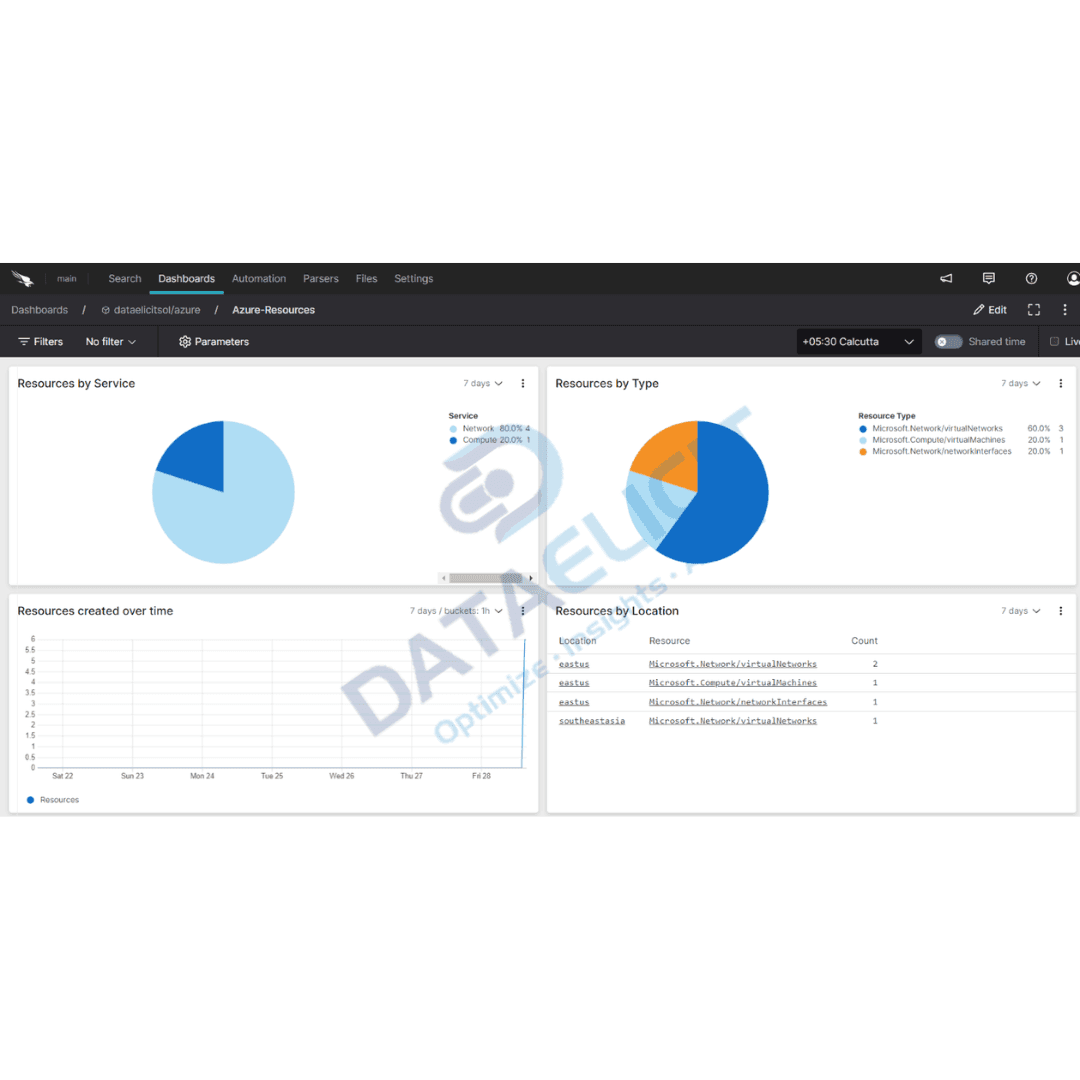
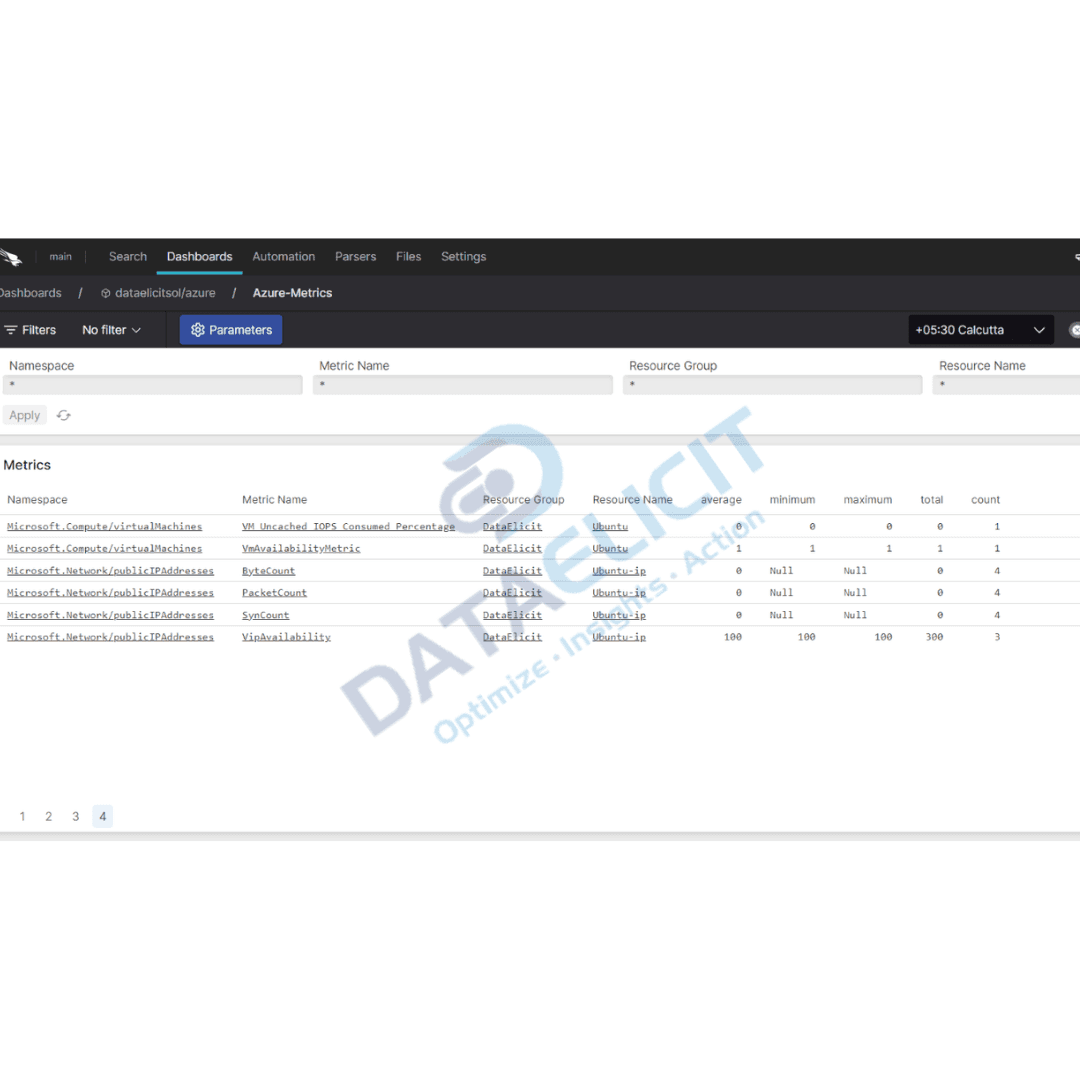
Once the connector is live, EventHub turns into a steady, clean feed into Falcon LogScale. Teams can then focus on search, dashboards and alerts instead of worrying about skipped offsets or broken Logic Apps runs.
Conclusion
For teams that rely on Azure, EventHub carries a huge slice of their operational and security data. If that feed is pushed through Logic Apps, costs and complexity creep up with every new source. LogConnector’s Azure connector plus Falcon LogScale give you a cleaner option: a single, managed path where data is shaped once, delivered reliably and kept searchable for as long as you need. The result is cheaper ingestion, simpler operations and faster investigations.
Ready to dive deeper?
This overview covers the core ideas. On real projects we help customers tune consumer groups, shape schemas, decide what stays in EventHub and what hits Falcon LogScale, and design dashboards that match how their platform and security teams actually work.
Once the ingestion path is stable, you can start measuring the impact: lower Azure bills, fewer dropped messages and faster answers when someone asks what really happened in production last night.
Get in touch with us today
to learn more about:
- ›LogConnector features and benefits
- ›The Azure connector and its capabilities
- ›How LogConnector and Falcon LogScale can enhance your IT and security operations
Featured Articles
Explore more guides, integrations and use cases built on top of LogConnector and Falcon LogScale.

Route 1Password Logs to CrowdStrike Falcon LogScale with LogConnector
Onboard 1Password audit events into Falcon LogScale so SOC teams can see password activity next to endpoint and identity data.
Read More
Route GitHub Logs to CrowdStrike Falcon LogScale with LogConnector
Pull GitHub audit telemetry into Falcon LogScale to monitor code, repos and user actions in real time.
Read More
Route Okta Logs to CrowdStrike Falcon LogScale with LogConnector
Normalize Okta sign in and lifecycle events so Falcon LogScale can power proper identity investigations.
Read More