Route AWS Logs to CrowdStrike’s Falcon LogScale with LogConnector
To keep cloud operations smooth in a data driven world, admins need to rapidly ingest, analyze and act on AWS logs. CrowdStrike Falcon LogScale gives you a high performance analytics engine, and LogConnector helps you bridge AWS data sources into that platform so you can work off unified, reliable telemetry instead of juggling multiple consoles and formats.
To ensure smooth operations and productivity in today’s data-driven market, organizations need to ingest and act on AWS logs quickly. CrowdStrike Falcon LogScale provides a powerful platform for log management and analytics. LogConnector sits in front of that platform and standardizes the ingestion of AWS logs and other data sources so your teams can focus on insights instead of plumbing.
Introduction to LogConnector
LogConnector is a custom application that acts as the bridge between your organization’s data sources and CrowdStrike Falcon LogScale. Available for common Linux distributions, it gives you a central point to configure how data flows into LogScale instead of managing a sprawl of custom scripts and agents.
- Effortlessly configure your Falcon LogScale organization, including tokens, repositories and routing rules.
- Install and manage connectors for AWS and other data sources from one place instead of across multiple systems.
- Standardize schemas and enrichment so dashboards and searches behave consistently across all of your tenants and accounts.
By centralizing configuration and ingestion in LogConnector, you get a simplified way to manage Falcon LogScale details and accelerate the onboarding of new data sources without building a custom pipeline every time.
Effortless onboarding and powerful analysis of AWS logs with the AWS connector
The AWS connector in LogConnector simplifies onboarding of AWS services into Falcon LogScale. Instead of building pipelines for each log type, you enable the connector, set your parameters and start streaming normalized data directly into your LogScale repositories.
AWS connector allows you to pull:
- ✓S3 access logs for storage visibility and auditing.
- ✓CloudTrail management and change events across your AWS accounts.
- ✓AWS Config snapshots, configuration changes and historical resource configuration data.
- ✓Findings from Amazon Inspector and other security services.
- ✓CloudWatch performance metrics to track health and capacity.
- ✓Metadata for EC2, S3, VPC, ELB, EKS, IAM and more so you can pivot investigations on context, not just IDs.
- ✓Generic data from S3 buckets and SQS queues for custom workloads.
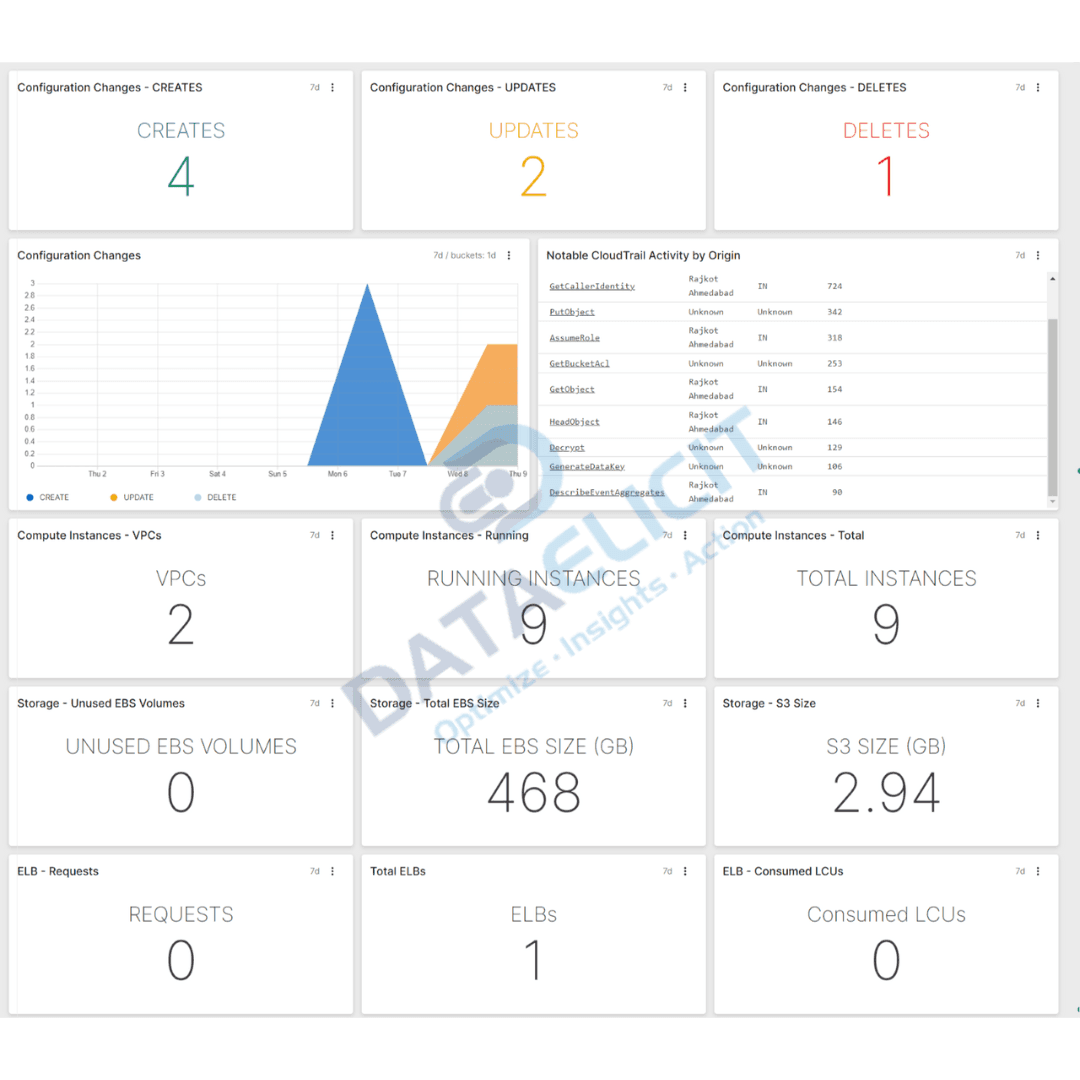
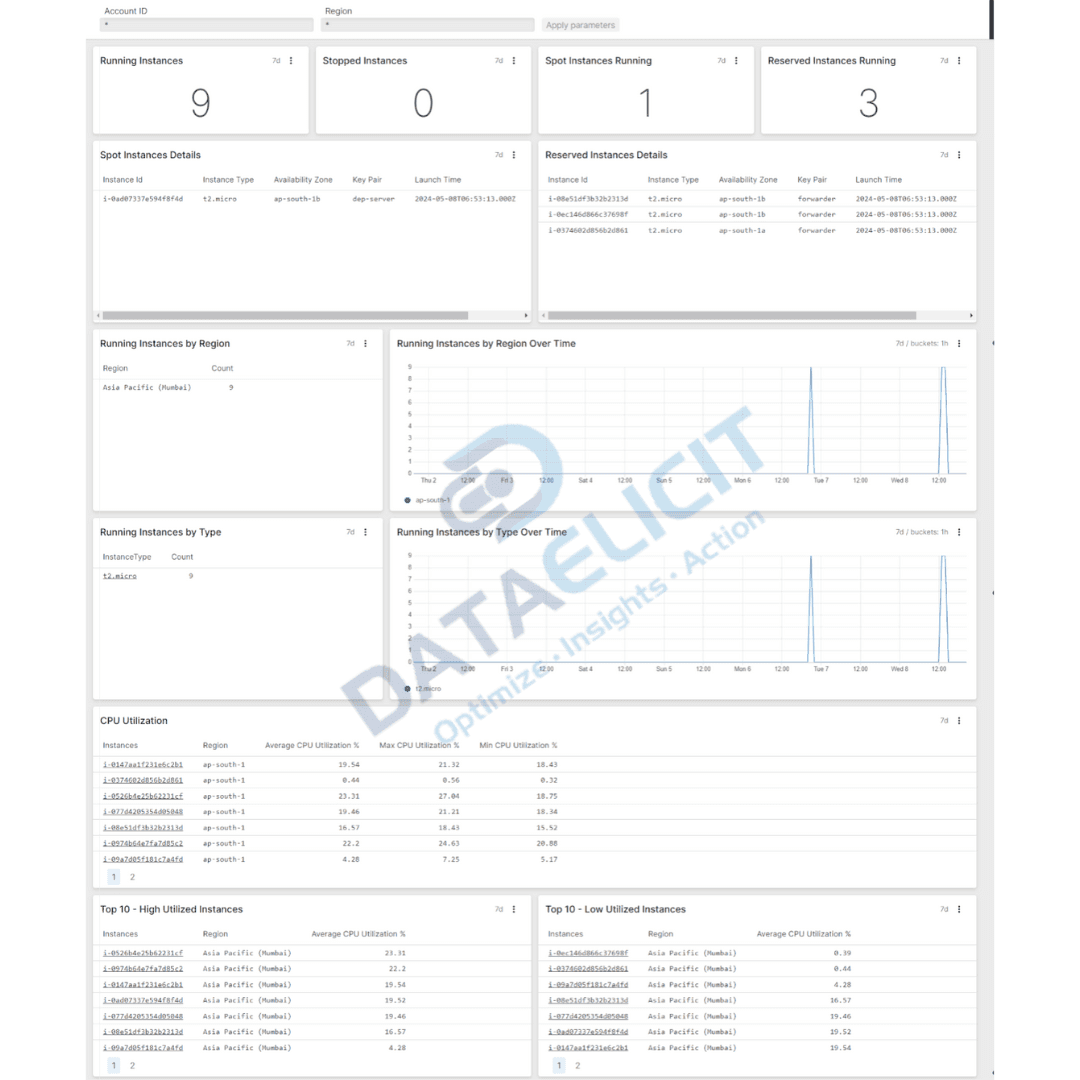
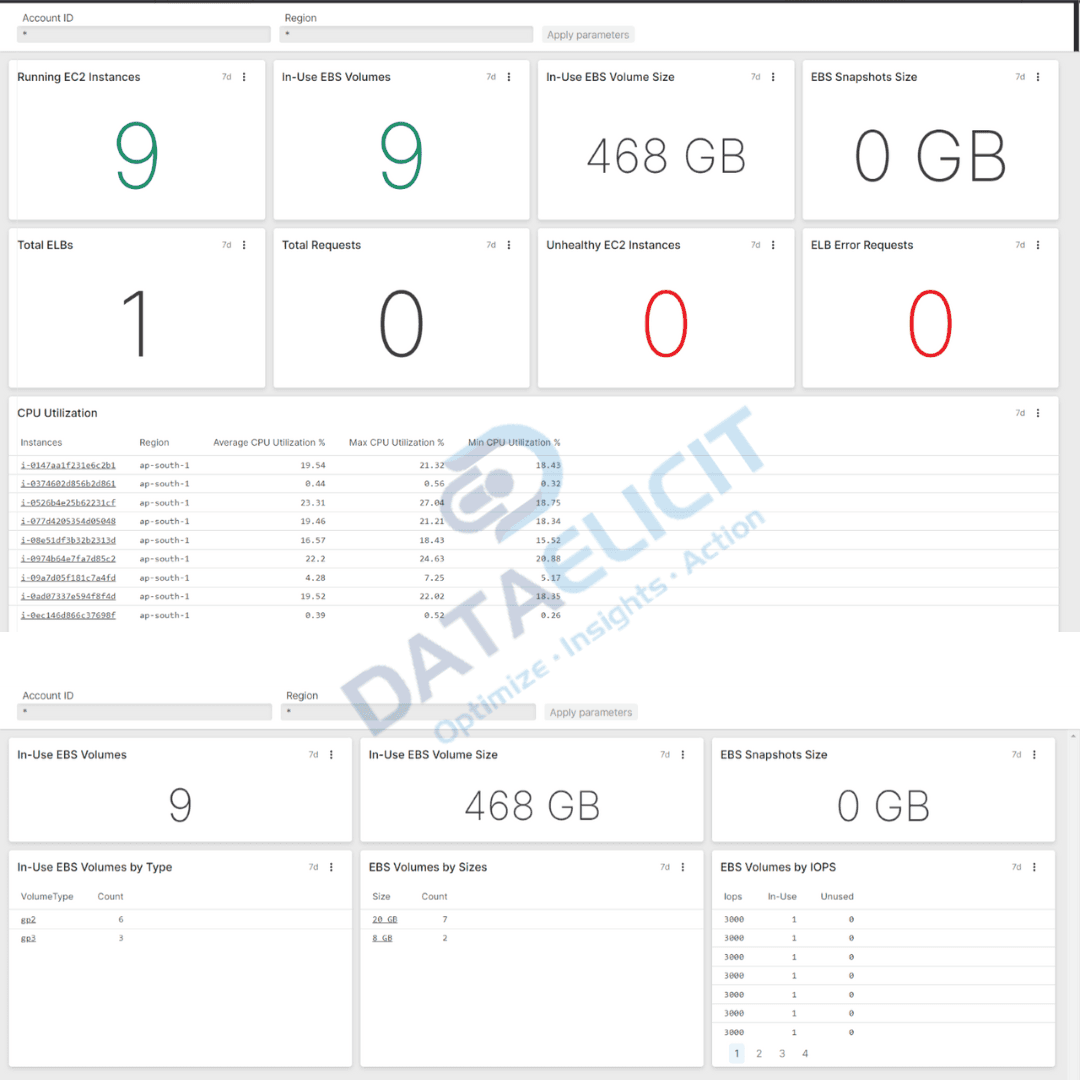
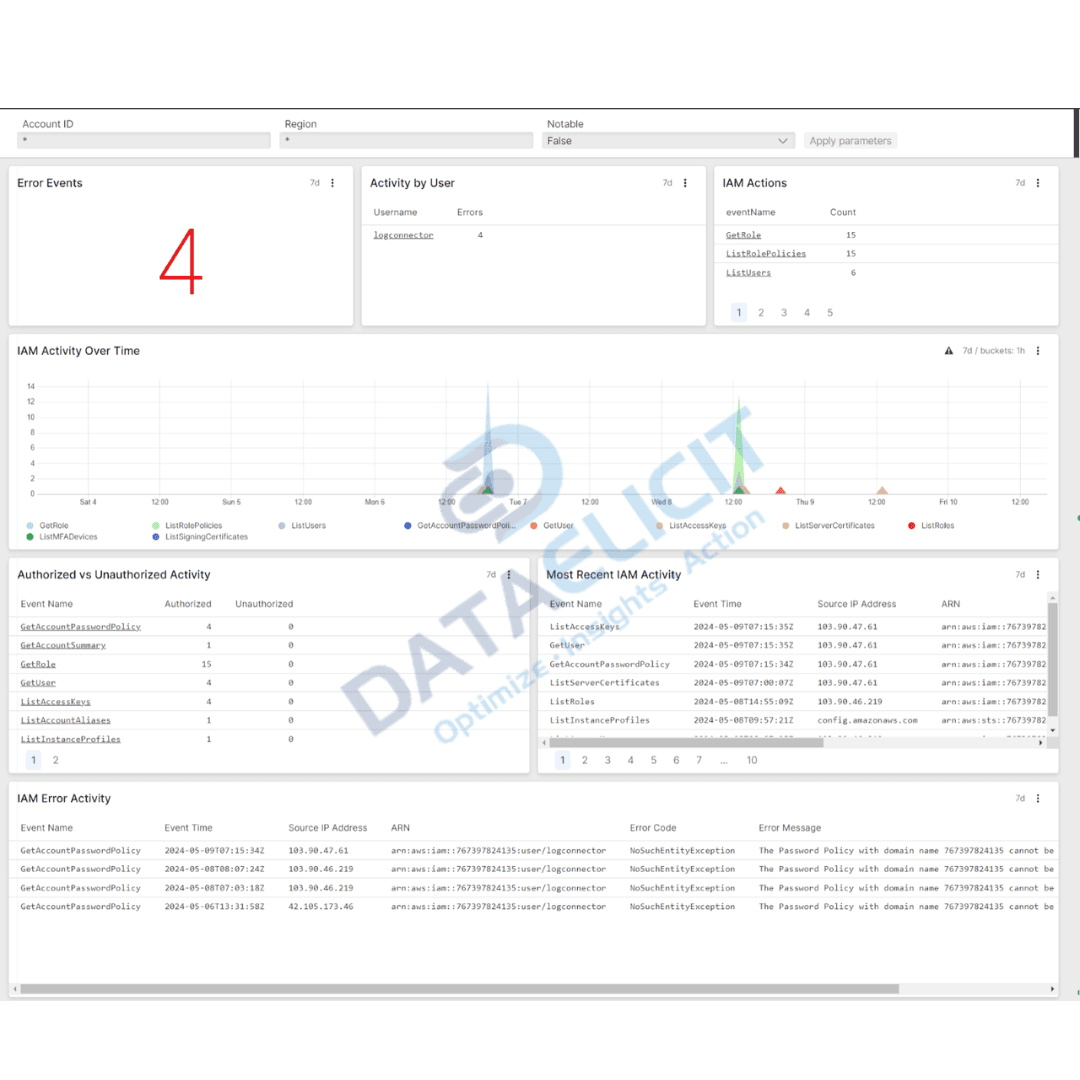
Once AWS logs land in Falcon LogScale through LogConnector, admins get dashboards that surface misconfigurations, usage patterns and anomalies. Instead of reacting to tickets, cloud teams can proactively resolve AWS issues using the same unified views every day.
Conclusion
Efficient cloud administration is essential for driving organizational productivity and maintaining a secure, compliant environment. CrowdStrike Falcon LogScale, combined with LogConnector and the AWS connector, gives you a comprehensive solution for ingesting, analyzing and leveraging AWS logs. By following the approach in this guide, cloud administrators can accelerate onboarding, gain valuable insights into their AWS accounts and optimize cloud operations instead of fighting with raw log streams.
Ready to dive deeper?
This article gives you the overview. In real deployments, LogConnector and Falcon LogScale let you go further: custom routing rules, account-by-account controls, long term storage strategies and dashboards tuned to how your cloud and security teams actually work.
With LogConnector sitting in front of Falcon LogScale, you can say goodbye to brittle ingestion scripts and bolt-on jobs. Instead, you standardize how AWS data lands in your indexes and keep queries fast even as log volume grows. That is when teams feel the shift from “we have the logs” to “we can use the logs.”
Get in touch with us today
to learn more about:
- ›LogConnector features and deployment patterns.
- ›The AWS connector and its capabilities.
- ›How LogConnector and Falcon LogScale can enhance your IT and security operations for AWS.
Related Articles
Explore more guides and use cases for LogConnector and Falcon LogScale across different SaaS and cloud services.
Route Box Logs to Falcon LogScale with LogConnector
Ingest and normalize Box activity logs into Falcon LogScale so security teams can monitor access, sharing and anomalies in one place.
Read More
Azure EventHub + Falcon LogScale for High-Volume Streaming Logs
Use LogConnector to bridge Azure EventHub streams into Falcon LogScale with clean schemas and routing controls.
Read More
1Password Logs with LogConnector and Falcon LogScale
Centralize 1Password security events next to your endpoint and cloud telemetry for faster investigations.
Read More