Transforming Cisco IOS Device Logs into Actionable Insights Using Falcon LogScale
Cisco IOS devices sit in the middle of every serious network. They route traffic, enforce policy and quietly generate a huge amount of log data. Raw syslog is noisy and repetitive, so troubleshooting with it directly is painful. With a focused Falcon LogScale package and a Cisco IOS parser based on the CrowdStrike Parsing Standard, you can turn those logs into clear views of performance, security and change activity.
Cisco IOS logs carry details about routing decisions, interface state, access control, DHCP, wireless and more. The problem is that the events arrive as unstructured text that looks different from device to device. Our Falcon LogScale package for Cisco IOS standardizes this data and pushes it into dashboards so that network teams can answer questions in seconds instead of scrolling through raw syslog lines.
Parsing Cisco IOS logs with CrowdStrike Parsing Standard
At the center of the package is a dedicated cisco ios parser that converts log messages into a consistent schema based on the CrowdStrike Parsing Standard. Once events are normalized, you can correlate them with other CPS compliant data without memorizing device specific field names.
- Groups IOS messages into clear categories such as interface state, authentication, routing updates and protocol events.
- Maps common fields like source, destination, action and device role so they line up across routers, switches and firewalls.
- Produces structured events that are easy to search, graph and combine with identity or endpoint data already stored in Falcon LogScale.
Pre built dashboards for fast Cisco IOS insights
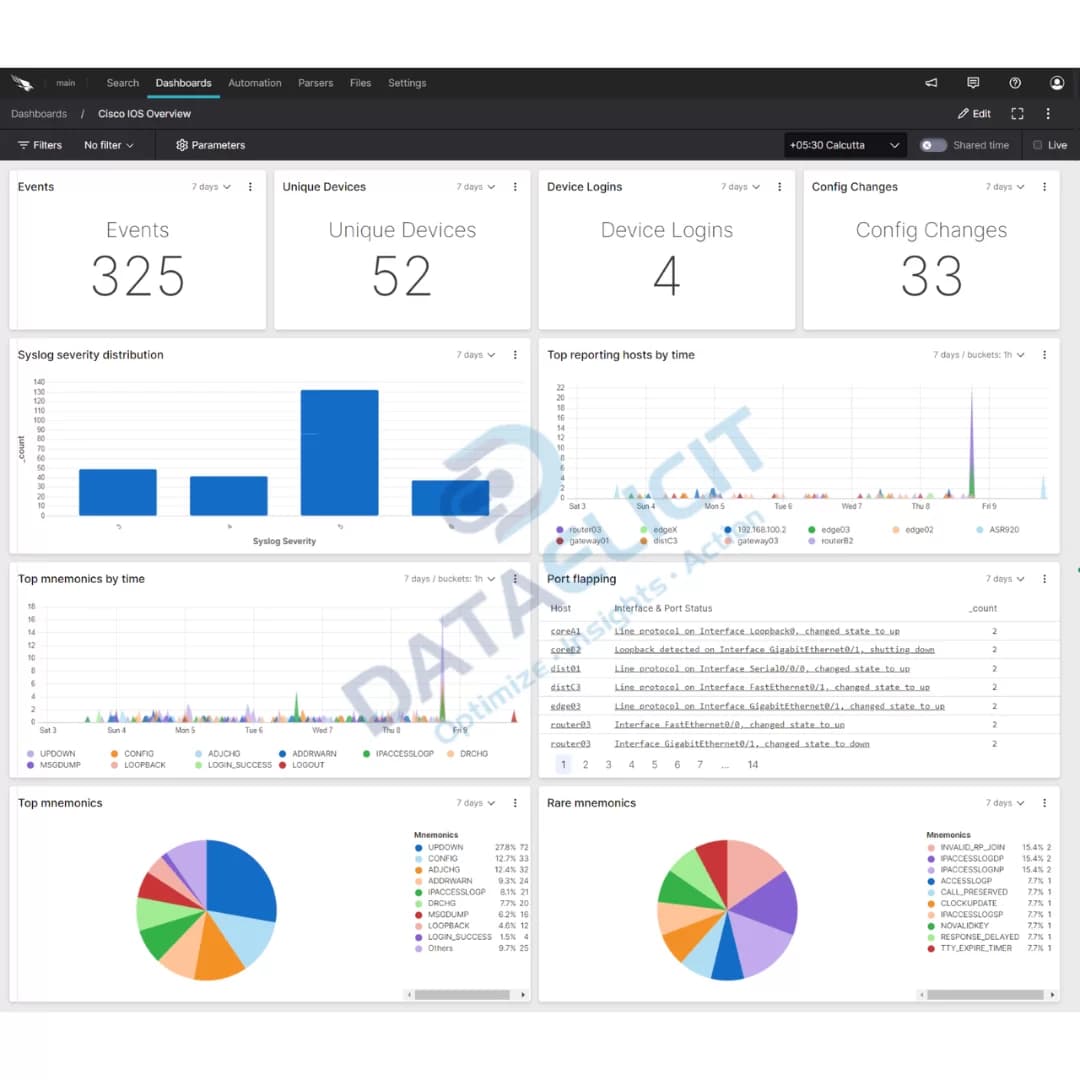
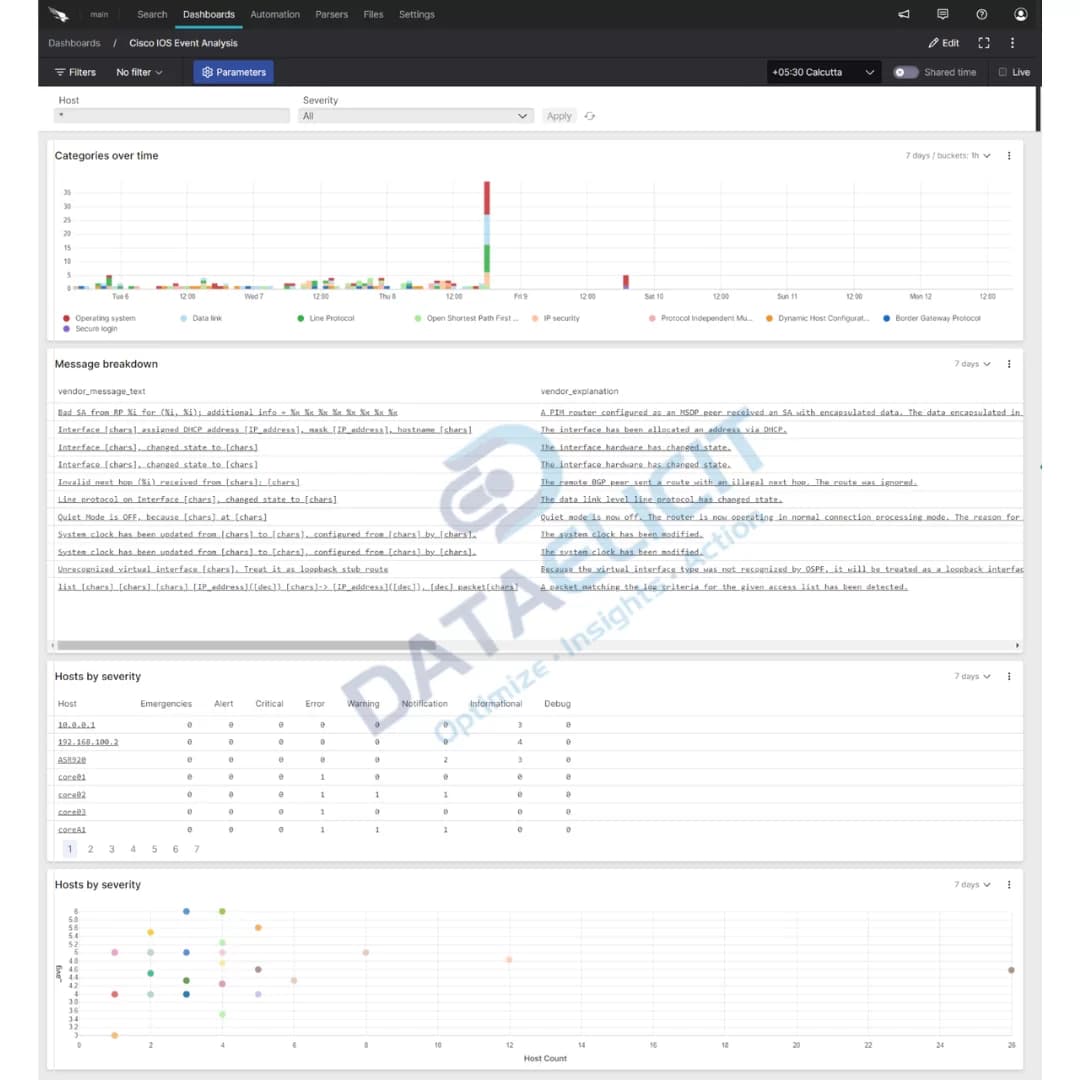
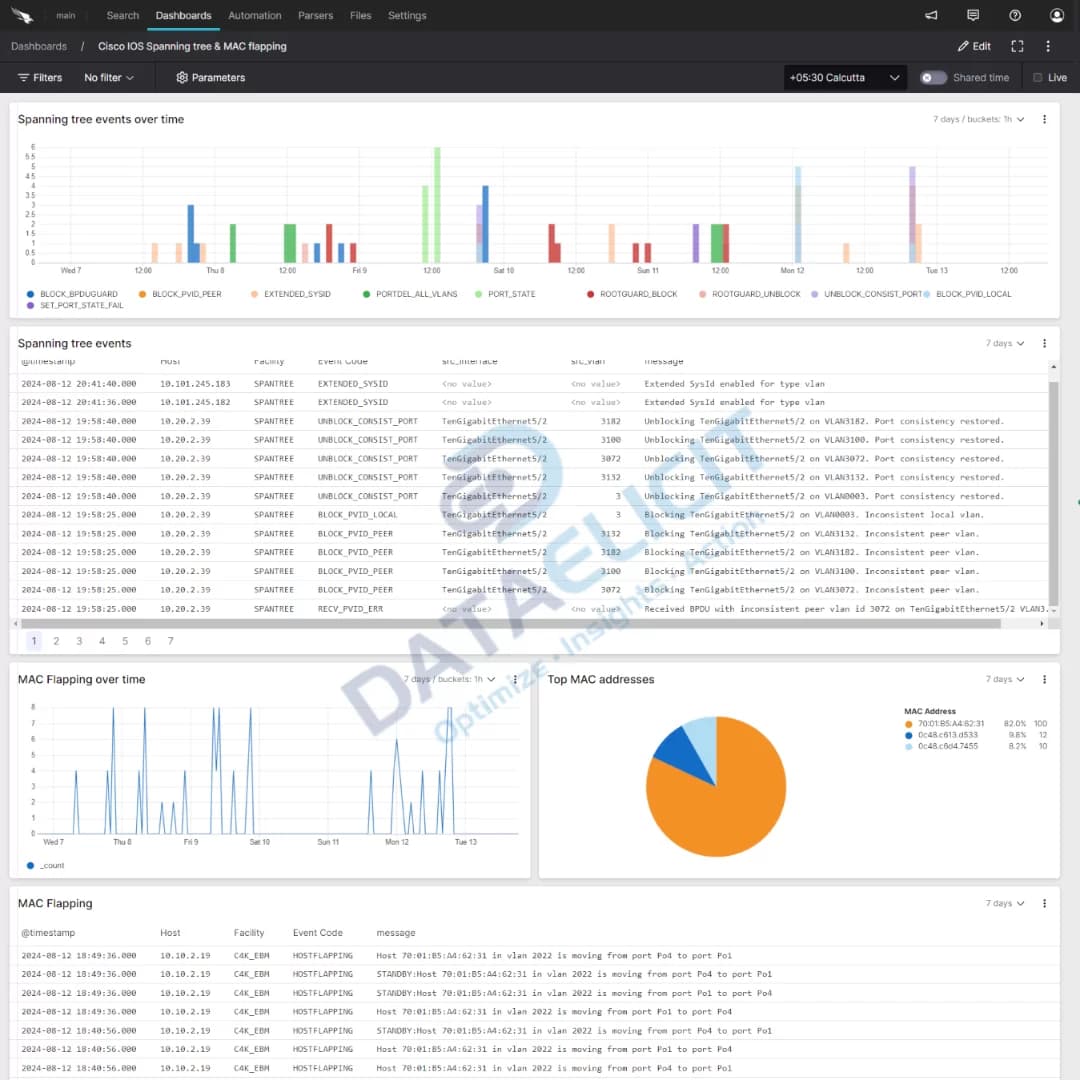
To avoid starting from a blank search bar, the Cisco IOS package ships with a set of dashboards that surface the patterns network teams care about. Each view uses the normalized schema so that it works across different IOS versions and hardware models.
Dashboards in the package include:
- ✓Devices and interfaces health and error trends.
- ✓Audit and authentication events across network gear.
- ✓CDP and neighbor discovery activity.
- ✓DHCP and ARP inspection visibility.
- ✓Routing and switching status with change tracking.
- ✓Performance, event analysis and wireless devices.
With these dashboards in place, IOS logs stop being a wall of text and start acting as a real time panel for health, change and policy enforcement across the network.
Conclusion
Falcon LogScale combined with the Cisco IOS package from DataElicit turns device logs into a consistent data set that you can actually work with. Instead of hunting through raw syslog, you get structured events, ready made dashboards and the ability to correlate network behavior with the rest of your security and operations data.
Ready to dive deeper?
The overview here covers the main building blocks. In real deployments we tailor parsers, retention plans and dashboards to match how your network and NOC are structured so that the views line up with the way your team already thinks about devices and segments.
With Cisco IOS logs normalized into Falcon LogScale, you gain faster incident response, cleaner audits and a better way to track performance across core and edge devices without losing the detail that engineering teams need.
Get in touch with us today
to learn more about:
- ›LogConnector features and benefits
- ›Cisco IOS package for Falcon LogScale
- ›How LogConnector and Falcon LogScale can strengthen your IT and security operations
Related Articles
Explore more Falcon LogScale integrations and packages that extend visibility across your network and security stack.
Gain Deep Visibility into Microsoft Active Directory with CrowdStrike Falcon
Microsoft Active Directory remains the backbone of identity for many organizations. This article explains how to ingest AD logs into Falcon LogScale and use dashboards for authentication, policy and security visibility.
Read More
Unlocking Key Insights from Akamai SIA Logs with CrowdStrike Falcon
Learn how to bring Akamai SIA logs into Falcon LogScale with LogConnector so you can correlate DNS and web activity with endpoint and identity data.
Read More
Integrating Menlo Security Logs into Falcon LogScale for Actionable Insights
See how Menlo Security logs can be centralized in Falcon LogScale to give security teams clearer visibility into web isolation, threats and user activity.
Read More