Accelerate Threat Detection with Vectra AI Insights in CrowdStrike’s Falcon LogScale
Vectra AI generates rich network detection and response telemetry that tells you who is talking to what, where, and how suspicious that activity is. Left in raw log form it is hard to trend, hard to correlate and hard to explain in a hurry. Feeding those events into Falcon LogScale through LogConnector with a normalized schema turns them into fast searches and dashboards that actually help you decide what to investigate next.
Vectra AI is a leader in threat detection and response, capturing deep context about network activity, identity use and emerging attacker behavior. The challenge is that these raw logs span many protocols and entity types, which makes it awkward to filter, visualize and share insight with the rest of the security stack. The Falcon LogScale package for Vectra AI focuses on closing that gap so your SOC can move from raw events to actionable views with far less custom query work.
Parser overview
At the core of this package is the vectra-stream parser. It is purpose built to normalize Vectra AI streams into well defined events that Falcon LogScale can index and search at speed. The parser pulls out the usual suspects like IP addresses, ports, usernames, detection scores and timestamps so you always have the important context in front of you.
Supported log families include:
- Beacons and connections that capture who is talking to whom and how often, ideal for surfacing command and control patterns.
- Protocol specific views for DNS, HTTP, RDP, SMB, SMTP, SSH, LDAP, Kerberos, NTLM and SSL or x509 so detections line up with the way your analysts already think.
- Detection level records that carry scores, categories and involved entities to drive triage and correlation with endpoint, identity and SIEM data.
Dashboards for deep visibility
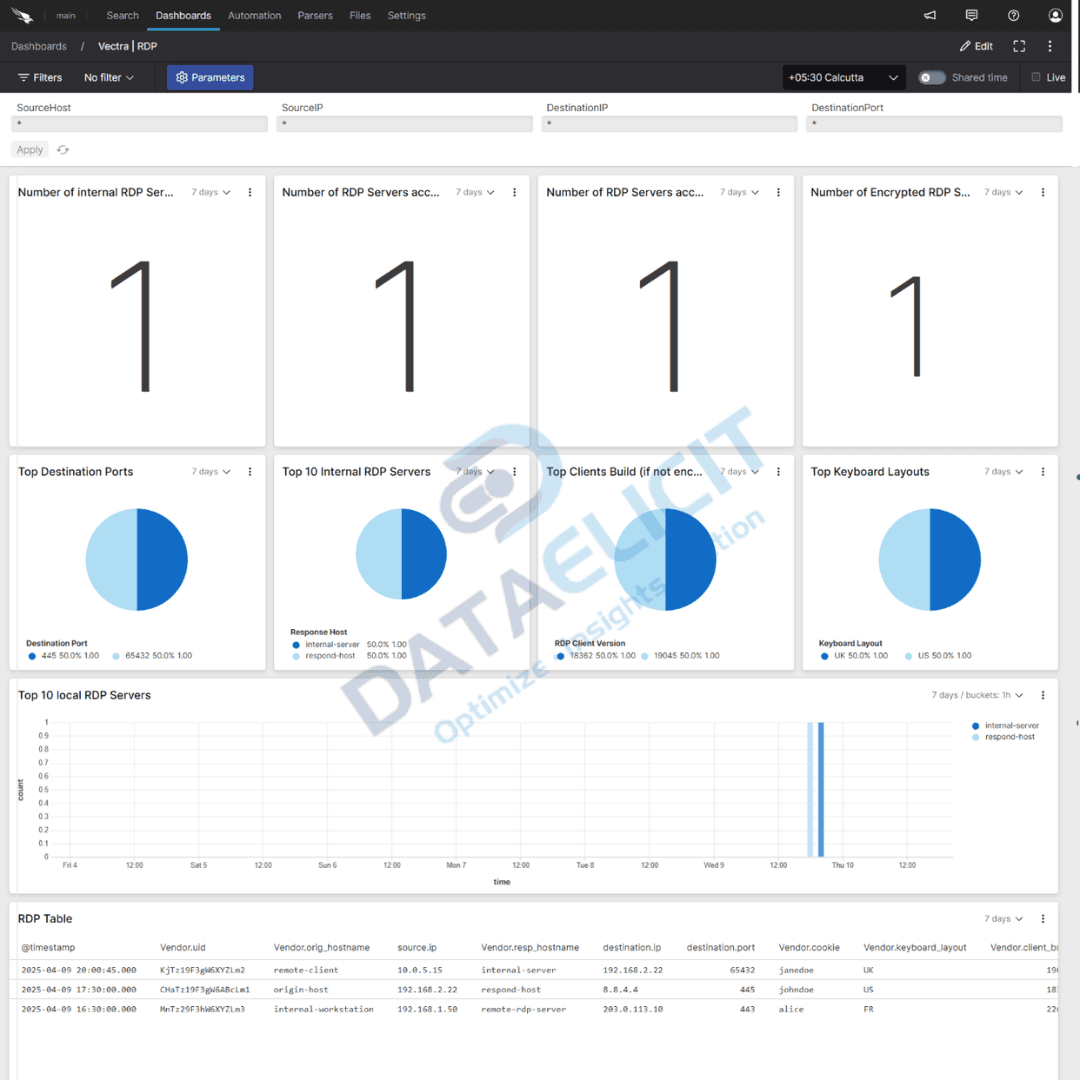
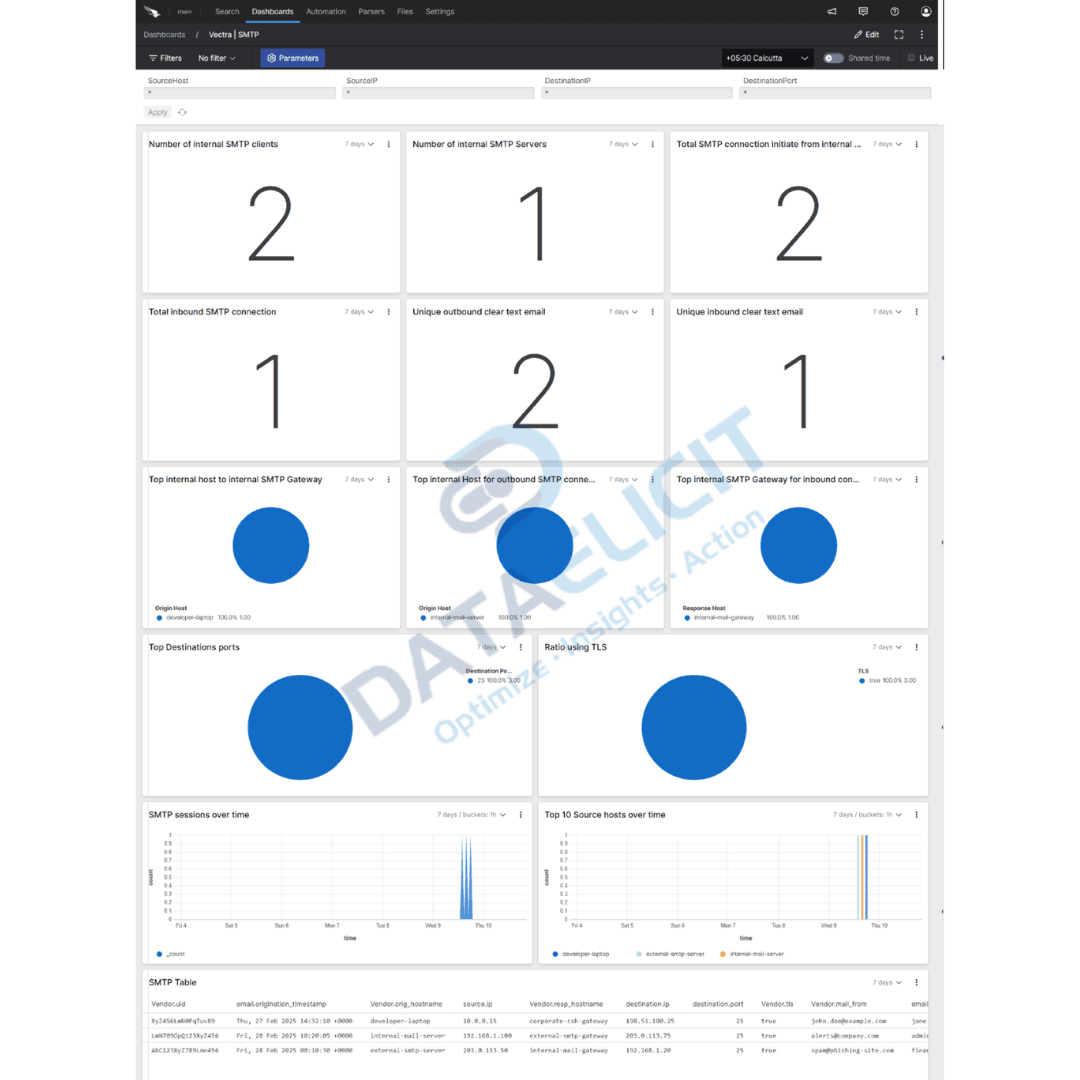
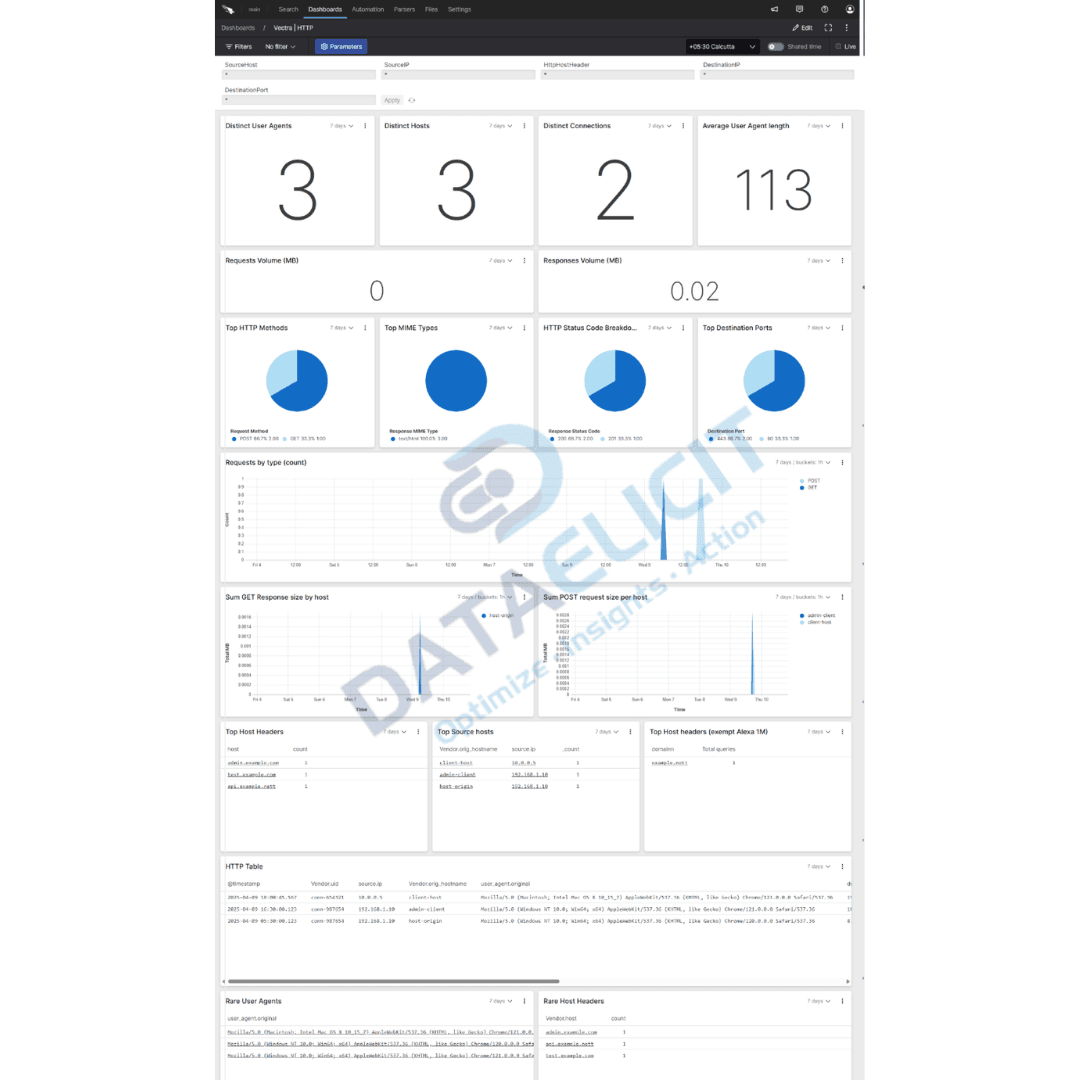
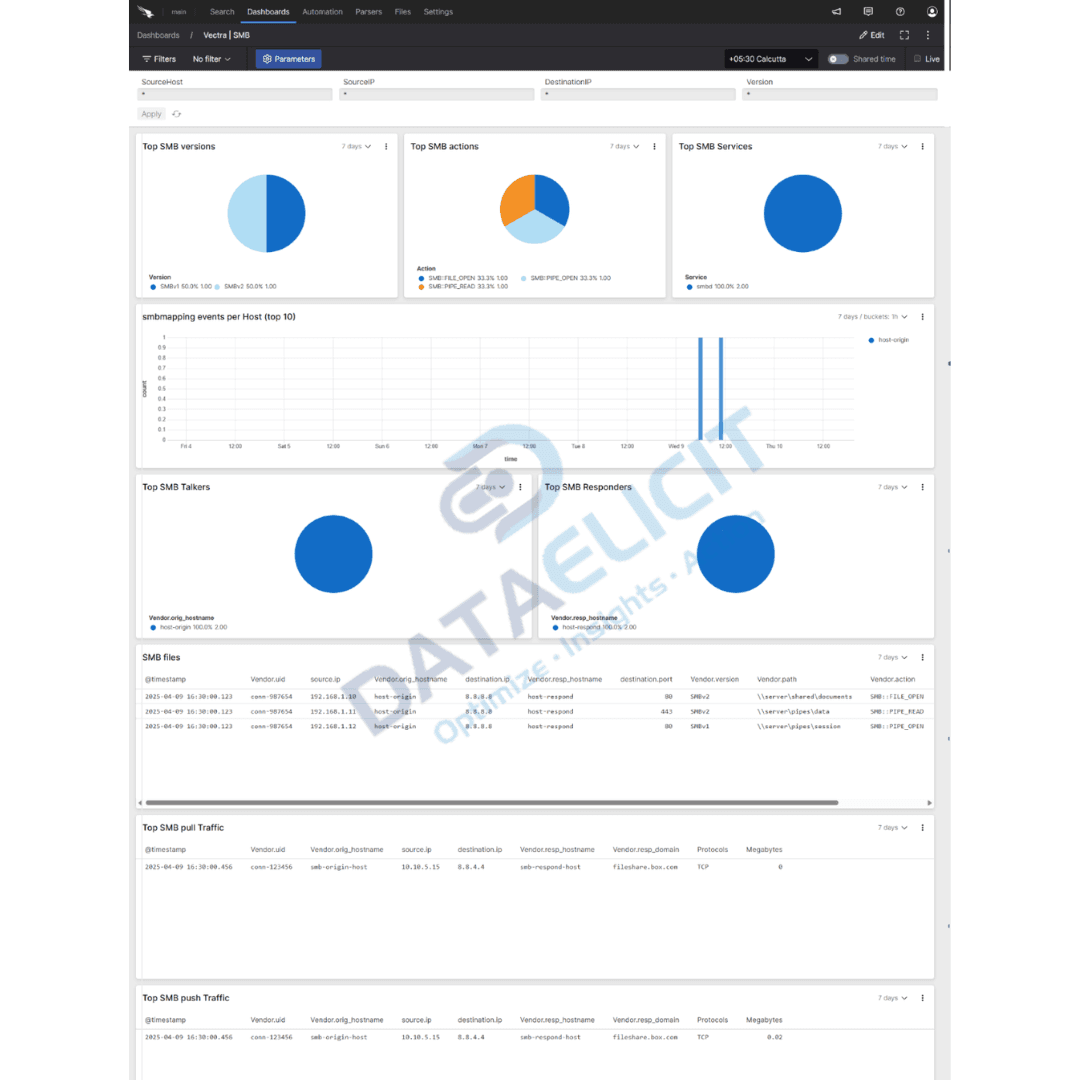
To keep investigations moving the package ships with dashboards tuned to the way Vectra AI exposes detections. They give your team quick situational awareness and make it easier to pivot from high level trends into specific hosts, accounts and detections.
With these dashboards analysts can:
- ✓Monitor activity trends and anomalies by protocol to see which parts of the network are behaving strangely.
- ✓Drill into specific detections and behaviors, including which hosts, accounts and services are showing repeated issues.
- ✓Visualize traffic flows, authentication attempts and session patterns to spot lateral movement and misuse of internal services.
- ✓Quickly identify high risk patterns like beaconing, brute-force attempts and unusual outbound connections that deserve investigation.
The idea is to give your SOC instant context. Instead of scrolling through raw streams you land on views that highlight where risk is increasing, which assets are involved and how that lines up with the rest of your telemetry in Falcon LogScale.
Conclusion
This Falcon LogScale package for Vectra AI lets organizations turn raw network detection logs into practical insight. Whether you are tracking ongoing threat behavior, running threat hunting sessions or working through an incident, the combination of normalized events and tuned dashboards makes it easier to stay ahead of what is happening on the wire. Instead of guessing from fragments you get a consistent view of detections, entities and trends over time.
To make ingestion simpler we pair this package with LogConnector, our custom application that sits between your data sources and Falcon LogScale. With LogConnector you avoid dealing with one off scripts and can lean on prebuilt connectors and dashboards that have been exercised in production environments. The aim is less time wiring up pipelines and more time actually using the data.
Ready to dive deeper?
Every deployment of Vectra AI is slightly different. On projects, we help teams decide which sensors and detections to ingest, how to size storage and how to connect Vectra AI dashboards with endpoint, identity and SIEM views in Falcon LogScale. That way your analysts are not juggling four tools to answer one question about what happened.
Get in touch with us today
We work with network, security and platform teams that rely on Vectra AI for detection but want a better way to explore and communicate what the tool is seeing. That usually means faster triage, more repeatable hunting workflows and clearer metrics for leadership on how network threats are changing.
Once ingestion is stable you can measure improvements such as reduced time to confirm suspicious behavior, better correlation with endpoint evidence and higher confidence in which hosts and identities are actually at risk.
Talk to the team
Want Vectra AI detections to be easier to work with?
We design and support LogConnector pipelines that move Vectra AI telemetry into Falcon LogScale with tested parsers, dashboards and alerting patterns tailored to your environment.
Get in touch with us today
to learn more about:
- ›LogConnector features and benefits
- ›Vectra AI package for Falcon LogScale
- ›How LogConnector and Falcon LogScale can enhance your IT and security operations
Related Articles
Explore more integration guides where LogConnector streams security and infrastructure data into Falcon LogScale with normalized fields and ready to use dashboards.
Introducing DS Management App: A Faster Alternative to Splunk Forwarder/Agent
Use the DS Management App to control app deployment, serverclasses and diagnostics from a single console instead of juggling multiple Splunk servers.
Read More
Enhance Certificate Audit Visibility with the DigiCert One Add-on for Splunk
Ingest DigiCert One events into Splunk so security and compliance teams can track certificate inventory, issues and expiry risk in one view.
Read More
Gain Unified Visibility Across Your Infrastructure with Zabbix Add-On for Splunk
Bring Zabbix host, service and alert data into Splunk to correlate infrastructure health with logs and metrics in a single place.
Read More